



Executive summary
- Copiers, cameras, and routers are networked computers, and many ship with publicly documented default logins.
- Tax and accounting firms fall under the FTC Safeguards Rule, so any device that handles client data belongs in your written security program.
- Verizon’s 2026 breach report ranks vulnerability exploitation as the top way into a breach, and the median time to fully patch was 43 days.
- Below: three steps for partners, six for IT, and the questions clients are likely to ask.
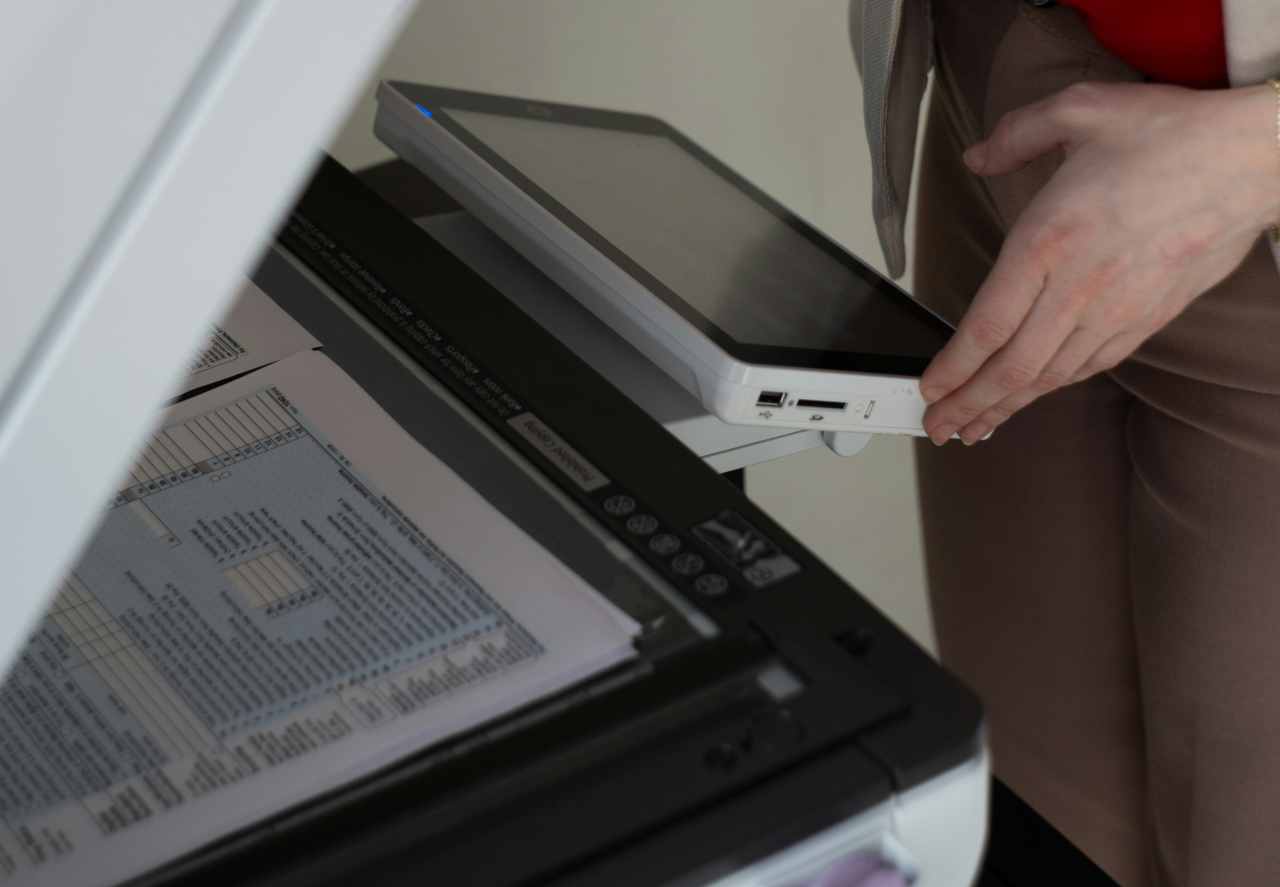
Welcome to Step 8 of our series on how to get breached, with tax season in mind. Today’s advice for accounting firm leaders: treat the copier as furniture. It sits in the hallway, scans a stack of W-2s and bank statements, and asks for nothing in return. Never log into it. Never change its password. Never wonder where those scans go. Meanwhile, the firm spends real money encrypting the file server.
Here is the catch. A modern multifunction printer is a small computer with storage, a web page, and a network connection. University of Hawaii IT guidance notes that these devices typically store information and sit on the network, which is why they need the same basics as any other system: a changed administrator password, current firmware, encrypted storage, image overwrite, and a physically secured hard drive. Default logins are easy to find. One manufacturer’s public manual lists the factory password as “admin.”
Recommended Articles

Technology November 9, 2026
How to Get Breached, Step 6: Share Files However is Fastest

Technology November 2, 2026
How to Get Breached, Step 5: Paste Client Data Into Any AI

Technology October 19, 2026
Click Every Link. What’s the Worst That Could Happen?


Technology September 28, 2026
Token Limits Are Creating a Shadow AI Problem for Accounting Firms
Why This Matters for Accounting Firms
Tax preparers fall under the FTC Safeguards Rule, and IRS Publication 4557 says the rule’s definition of financial institution includes professional tax preparers. The rule calls for a written information security program with specific elements, including encryption of customer information, multi-factor authentication, activity logging, oversight of service providers, and notice to the FTC after certain breaches. IRS Publication 5708 gives tax and accounting practices a template for writing that plan.
A copier holding client Social Security numbers behind a factory password is hard to defend in that program.
Imagine a hypothetical five-partner CPA firm in mid-March. The copier scans client documents to a shared folder and keeps job data on an internal drive. Its admin login was never changed, and it sits on the same flat network as every staff PC. An employee clicks a phishing link, an attacker lands on a workstation, finds the copier’s web page, and logs in with the default. Stored scans and the saved settings the device uses to reach the file server and email are now within reach. The copier was never listed in the security plan, so nobody was watching it.
Researchers testing multifunction printers have shown that attackers can use printer languages to reach print jobs, file systems, and memory. Firmware matters as well: Verizon’s 2026 Data Breach Investigations Report found vulnerability exploitation is now the top initial access vector at 31%, and the median time to fully patch was 43 days.
What to Do Instead: Practical Steps
For the firm owner or managing partner
- Name one person accountable for copiers, printers, and scanners, and add them to your written security plan.
- Ask your copier vendor or leasing company in writing how stored data is erased, and whether the drive is wiped or removed before the machine leaves your office.
- Approve replacement of any unit that no longer receives firmware updates.
For your IT department
- Replace the default admin and service passwords with unique, long ones kept in a password manager.
- Turn on hard drive encryption and automatic image overwrite. Shorten or disable any stored-document folders on the device.
- Require individual user authentication for scanning, and limit scan-to-email destinations to your firm’s domain.
- Disable protocols you do not use, such as Telnet and FTP, and apply firmware updates on a schedule.
- Place copiers on their own network segment. Allow only the print server, scan destinations, and IT management through.
- Log device activity and alert on failed logins.
Questions Your Clients May Ask
These answers are what you should be able to say once the steps above are in place.
Q: “Does my scanned tax return stay on your copier?”
A: No. Stored copies are overwritten automatically, the drive is encrypted, and scans go straight to our document system.
Q: “Who can reach the copier from your network?”
A: Only the print server and a short list of approved destinations. A compromised workstation cannot browse to it freely.
Q: “What happens to the copier when your lease ends?”
A: We confirm with the vendor, in writing, that stored data is erased or the drive is removed before the machine leaves our office.
Q: “How does this fit your information security plan?”
A: The copier is listed as a device holding client data, with an owner, a patch schedule, and logging, like any server.
ABOUT THE AUTHOR:

Scott Carr, owner of Farmhouse Networking in Grants Pass, Oregon, is a veteran Network & Computer Systems Architect with over 30 years of IT experience. For over a decade, he’s led his team in delivering proactive, secure, and fully managed IT services to more than 80 businesses—including accounting and finance firms that rely on data security, compliance, and efficiency. Scott’s hands-on, jargon-free approach ensures every client understands their technology and gains confidence in their systems. His firm is known for fast, responsive support—most issues are resolved within 15 minutes—and deep expertise in cybersecurity, network design, and IT compliance. Learn more about how Farmhouse Networking supports the accounting industry at https://www.farmhousenetworking.com/finance-it-support/.
Sign in to get access to this free resource, and all of our whitepapers and reports.

Download this content today!
Register Now Already registered? Click here to Log In