2011 Review of TPS Software Inc — TPS Time & Billing
TPS Software Inc — TPS Time & Billing
888-877-2231
www.tpssoftware.com
From the Oct. 2011 Review of Time & Billing Systems.
Best Firm Fit: Small and mid-size firms using Microsoft Office.
Strengths
- Most complete integration with Microsoft Office among products reviewed, allowing for maximum customization of invoices & reports.
- Unique to the other products reviewed, the time entry screen includes a graphical timeline showing how a day’s time was spent.
- Solid integration with QuickBooks.
Potential Limitations
- No SaaS version or interface available.
- Not as many online resources to learn about the product as its competitors, but it does have good built-in Help.
Since 1999, TPS Software has provided a powerful time and billing software specifically designed to meet the unique needs of public accountants. Some of its stronger features include an extensive well-organized set of management reports, a due date tracker included with the software, and more integration with Microsoft Office than other time and billing systems. TPS stores its information in a Microsoft Access database, has had a SQL version of the software available since 2007, and was recently redesigned on the .NET platform. It can be installed on a local network and Terminal or Citrix servers, but there is no SaaS version available.
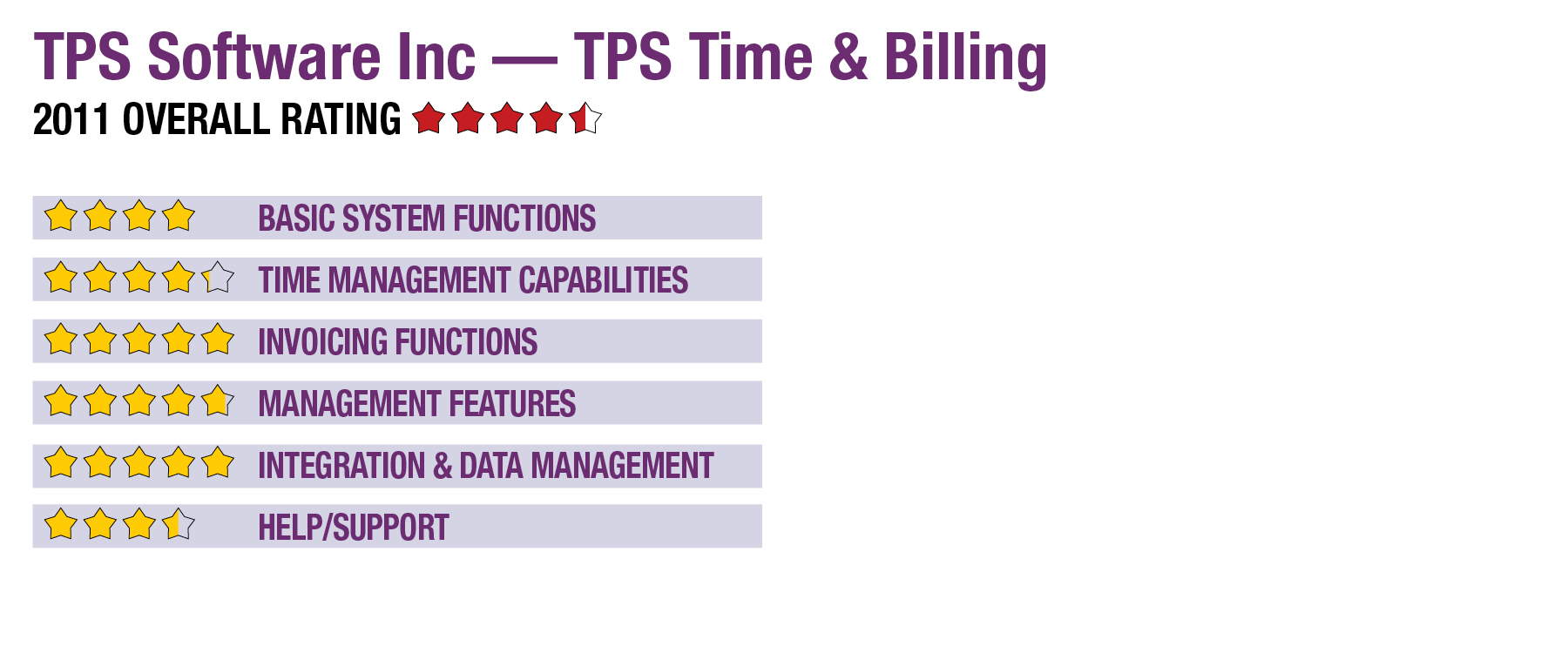
Basic System Functions (4 Stars)
New users may experience a learning curve because TPS Software’s interface relies heavily on the use of icons. TPS’s mouseover explanations for each icon’s functions are helpful, and for experienced users the icons save space and facilitate quick navigation. Always displayed near the top of the program window is a toolbar providing icons for quick access to each of the program’s main functions, including client management, timing, billing and reports. With a well-organized look and feel, the windows within the program for entering information contain tabs and resizable spreadsheets that are also sortable by clicking on column headers.
Time Management Capabilities (4.25 Stars)
The time entry screen is in spreadsheet format with fields for the start time, stop time, client, engagement, work code and a description. The description field can open in a separate window, which is ideal for lengthy details, and even includes a spell checker. Both time and expense entries are made on this screen. A color-coded timeline is displayed to give the user an idea of how time was spent as the day progressed and is also helpful for finding overlaps and gaps in entered time. Though not as robust as other time and billing programs, TPS does provide a stopwatch method for entering time. Remote time entry can be accomplished by e-mailing a data file back to the office where it can be imported to the TPS database.
TPS has a three-tiered work code structure for classifying time entries into billable, non-billable, and expense recovery descriptions, all of which can be customized by the firm.
Invoicing Functions (5 Stars)
The billing screen in TPS is in spreadsheet format, with plenty of information helpful for owners and managers in making billing decisions. Customized columns include unbilled, currently billed, and year-to-date billed amounts by default. When a row for a client and engagement is right-clicked, there are options to quick bill, detail bill or progress bill the amounts. Double-clicking on a row shows the WIP, time, A/R, and history related to the client and engagement. Invoices can be printed or e-mailed in batches.
One of the standout features of TPS is invoice customization. Several invoice templates are included with the software can be edited, or firms can create their own. A Library of “Paragraphs,” or commonly used phrases used in invoices, can be set up to be available during invoice creation. Individual invoices generated during the billing process can be opened, changed and saved in Microsoft Word.
Management Features (4.75 Stars)
- « Previous Page
- 1
- 2
- Next Page »