
Technology
It’s Time for Your Annual IT Checkup
Are you and your firm keeping up with technology? Do you have a replacement cycle for your computers, or do you run them until they die before you swap them out?
Mar. 26, 2012
[This can be broken up into a “continued online” section, if there’s only space for one page of column. If so, keep the box-out in the print version.]
Are you and your firm keeping up with technology? Do you have a replacement cycle for your computers, or do you run them until they die before you swap them out? You don’t have to be a guru to keep on top of solid IT management basics, and you don’t have to rush out and buy every new tech gadget that comes out. For those professionals who’ve just finished an exhaustive tax season, and everyone else, now’s a great time to do an IT checkup of your practice.
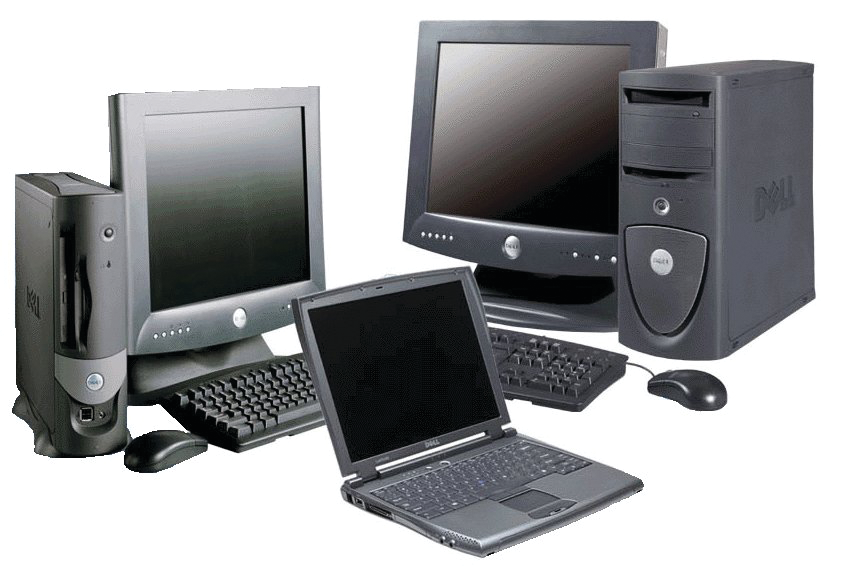
Although software and web-based programs you use to serve clients and run your practice draw the most attention on a day-to-day basis, the backbone of your firm’s technology capabilities remains the hardware. From desktop and laptop PCs and Macs, to monitors, printers, scanners, mobile devices and even phone systems, these hardware systems are essential to your productivity, so you need to have a plan on how frequently you assess and replace them.
It’s important to have a proactive method, instead of running them into the ground, because that inevitably results in lost work time, potentially lost data, staff stress and delays in client service. None of these are conducive to a healthy and efficient firm, so let’s get started.
Workstations and Laptops
Whether you are the only person in your practice, or you have dozens of professional staff, you rely on your computer daily. So, how often should you replace it, and if you want to replace it now, what should you look for?
The general rule of thumb is to replace work computers every three years, but sometimes this is extended to four years. In firms with multiple staff, particularly those with dozens or more computers, it often makes the most sense to divide the PCs into three groups (if using the three year cycle), with one group of computers replaced each year. This helps to minimize staff disruption and allows for budgeting of the overall capital expense involved over the course of three years.
Even if the computers seem to be running fine, the reason for proactive replacement includes the aforementioned risk of a crash, but also because of the constantly changing platforms that modern tax, accounting and business management programs use. Note that in the below list, these are minimum ranges for most accounting firms and small businesses.
Small Business Use PCs & Laptops
- Windows 7 Professional or Ultimate
- 4-6 GB RAM
- 500+ GB Hard Drive
- Wireless adapter
- Multiple monitors
Est. price range: $600-$800 for desktops.
Note that you may not need to replace your monitors, or you may keep the ones you have and simply add another one. Also, even for desktop computers, a wireless adapter can make moving or adding computers in your office much more convenient. Standard graphics capabilities should be sufficient unless you are an avid gamer or designer.
Printers & Scanners
There isn’t a standard time table for printer and scanner replacement, but you should evaluate performance every year, particularly after tax season. Even in the modern paperless office, there’s still paper, and there are still things you need to print. However, printing functions are becoming less critical, even as a solid and dependable scanner becomes more important.
What you need from a scanner depends greatly on your firm’s workflow: Do you scan everything right when it comes in your door, or after the engagement? Do you have an administrative person/persons who handle scanning client documents for the preparers in the firm? Aside from taxes, are your other client services paper-heavy? Price ranges for business quality desktop, non-networked multi-function printer/scanners start in the $300 range. Network and group printers start just over $500, with practice-grade, heavy duty versions starting around $800.
I’ve long been a fan of the Fujitsu ScanSnap series (www.Fujitsu.com), and for the office, the S1500 (apx. $495) is a great desktop solution. For firms wanting a networked (shared) scanner that can be accessed by all of the professionals, the Fujitsu fi-6130Z (apx. $950) offers a advanced features and, wireless connectivity and a file management suite. The mobile ScanSnap S1100 (apx. $200) offers a pocket-sized scanning device.
Mobile Devices
Smart phones already a vital tool for many of us, and the default replacement cycle has become about two years. The reason for this is, of course, that to get discounted pricing on the devices, it’s necessary to lock into a two-year contract. Likewise, for iPhone users, the big changes from Apple come about every two years, with less dramatic changes each intervening year.
As far as tablet computers, the market is still new, Apple seems to be leading the field not only in technology with their iPad, but similarly to their iPhones, in establishing a one and two-year cycle. The initial iPad debuted in spring 2010, followed by the iPad 2 one year later (with mostly minor enhancements), and then this year, with the release of the latest generation iPad 3.
Apple is still by far the dominant force in the tablet field, and has many more apps than its chief competitors like the Kindle Fire, Samsung Galaxy and Toshiba Thrive. Therefore, for professional use and remotely accessing work PCs and other programs, the iPad is still the recommended tablet choice. This isn’t necessarily so for the smart phone market, where the Android platform has essentially caught up in terms of available apps for business and personal use. Blackberry has been making a renewed marketing effort recently, but its market share has dropped dramatically and many app developers are ignoring the platform.
============ —
[BOXOUT/SIDEBAR with company logo – We had a section like this on one of my columns from about a year ago.]
That’s Cool!
Accurately tracking travel and entertainment expenses has always been important, both because of the financial management and budgeting aspects, and because of tax deductions. For Schedule C small businesses, this is becoming even more critical, as the IRS is focusing more closely on these expenses. You can read more about the IRS’ Audit Compliance Initiatives Projects at www.CPAPracticeAdvisor.com/10645273.
For most business travelers, tracking these expenses while on the road invariably means returning home with a jumbled mass of receipts and notes documenting how much, what, when and where I spent the money. This is a requirement for both the self-employed and for those who hope to be reimbursed by their employers.
With the Concur online travel and expense management system (www.Concur.com), keeping up with these expenses has gotten a lot easier (and less cluttered) for road warriors and the intermittent business traveler, alike.
The web-based program can be used on regular computers, or via apps made for tablets and most smart phones, providing a single integrated tool for tracking and reporting expenses, from planning and booking travel, to digitizing paper receipts and notes. It even integrates with airlines, hotels, rail and car rental companies to retrieve exclusive e-receipts, with data from these and from credit card charges automatically populating into expense reports.
For business management, Concur allows administrators to create specific expense policies, such as spending limits on flight and hotel bookings, pre-travel request authorizations, supervisor sign-offs and employee location tools. The system includes detailed reporting and integration into QuickBooks, and SalesForce.com.