2011 Review of CCH, a Wolters Kluwer business – ProSystem fx Fixed Assets

CCH, a Wolters Kluwer business - ProSystem fx Fixed Assets
800-PFX-9998

www.tax.cchgroup.com

Best Fit:
Firms with clients whose asset bases are large or complex, or potentially distributed across multiple geographical locations, particularly those using other components of the ProSystem fx Suite.

Strengths:

  • Comprehensive capabilities for all depreciation methods & treatments
  • Wizards for performing mass asset life events such as acquisitions and disposals
  • Good report export options, including to Word and Excel
  • User customization options
  • Tight integration with ProSystem fx Tax and Trial Balance

Potential Limitations:

  • Book projections are limited to seven tax years
  • No RFID or barcode scanning integration

From the December 2011 Review of Asset Management Programs

ProSystem fx Fixed Assets is an asset tracking, management, forecasting and reporting program designed for use by accounting and tax professionals managing depreciation and for multiple clients of various entity types. As a part of the ProSystem fx Suite of professional tax and accounting applications, the system can be used as a stand-alone solution or integrated with programs for tax, write-up, practice management and other applications.

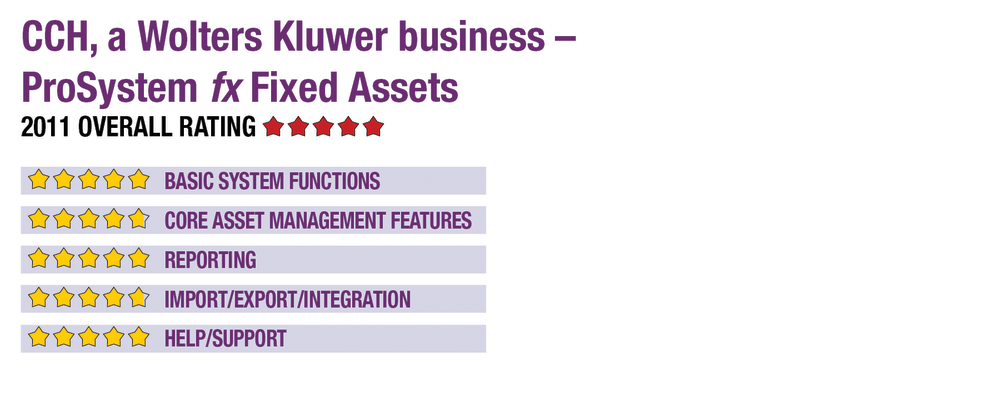
Basic System Functions - 5 Stars
During installation of ProSystem fx Fixed Assets, which is an installed program either on a workstation or networked, the system offers the ability to import data from other programs in the suite or from spreadsheets and data files. It also offers a guided new-client entry process for entering basic client data and specific asset information. Users can choose default book settings, clone existing book structures from other clients or create completely custom schedules. The system supports any number of entities and any number of assets per entity, including organizations with multiple departments or geographic locations, and companies can be consolidated for reporting purposes. If using a network license, it allows any number of concurrent staff to work within the program simultaneously, and client-level security is available.

ProSystem fx Fixed Assets’ interface has a crisp design, with client selection screens providing multiple sort and filter options. System drop-down menus at the top of the screen offer access to clients, assets and tools such as preferences, mass disposal/sale options and other default settings. Within client files, the program maintains asset activity histories, which can be printed or saved to PDF. The client workscreen is a tabbed window that offers quick movement between a spreadsheet-view of the master asset list, which provides summary data. Other tabs include detailed asset information, vehicles and listed assets, disposal functions, projections, and other tasks.

Users can customize more than 400 fields on the master asset list, as well as many fields on asset detail screens, which give a side-by-side view of the books assigned to each asset. These detail screens also offer options for selecting asset type, convention and method. The system has the ability to assign and track assets based on cost centers, GL account numbers, depreciation expense accounts, departments, location and responsible person. As data is entered or edited on either summary or detail screens, the program performs calculations in real-time for all books and affected fields.

Core Asset Management Features - 4.75 Stars
ProSystem fx Fixed Assets includes built-in tools for maximizing Sec. 179 expenses and can automatically allocate available deductions by date in service or longest lives. The program supports all depreciation methods, including ACRS, MACRS, straight-line, declining balance, sum-of-the-years’ digits, amortization and units of production. Up to 99 user-defined depreciation methods can also be created. The program can track up to eight books per assets (five standard and three user-defined), with up to seven years of projections. Preconfigured, but completely customizable books include federal tax, financial, AMT, ACE and state, with all states included. Additional books can be added for State AMT and ACE, E&P, or custom ones.

This content continues onto the next page...