2011 Review of Sage Peachtree Premium Accounting for Nonprofits 2012
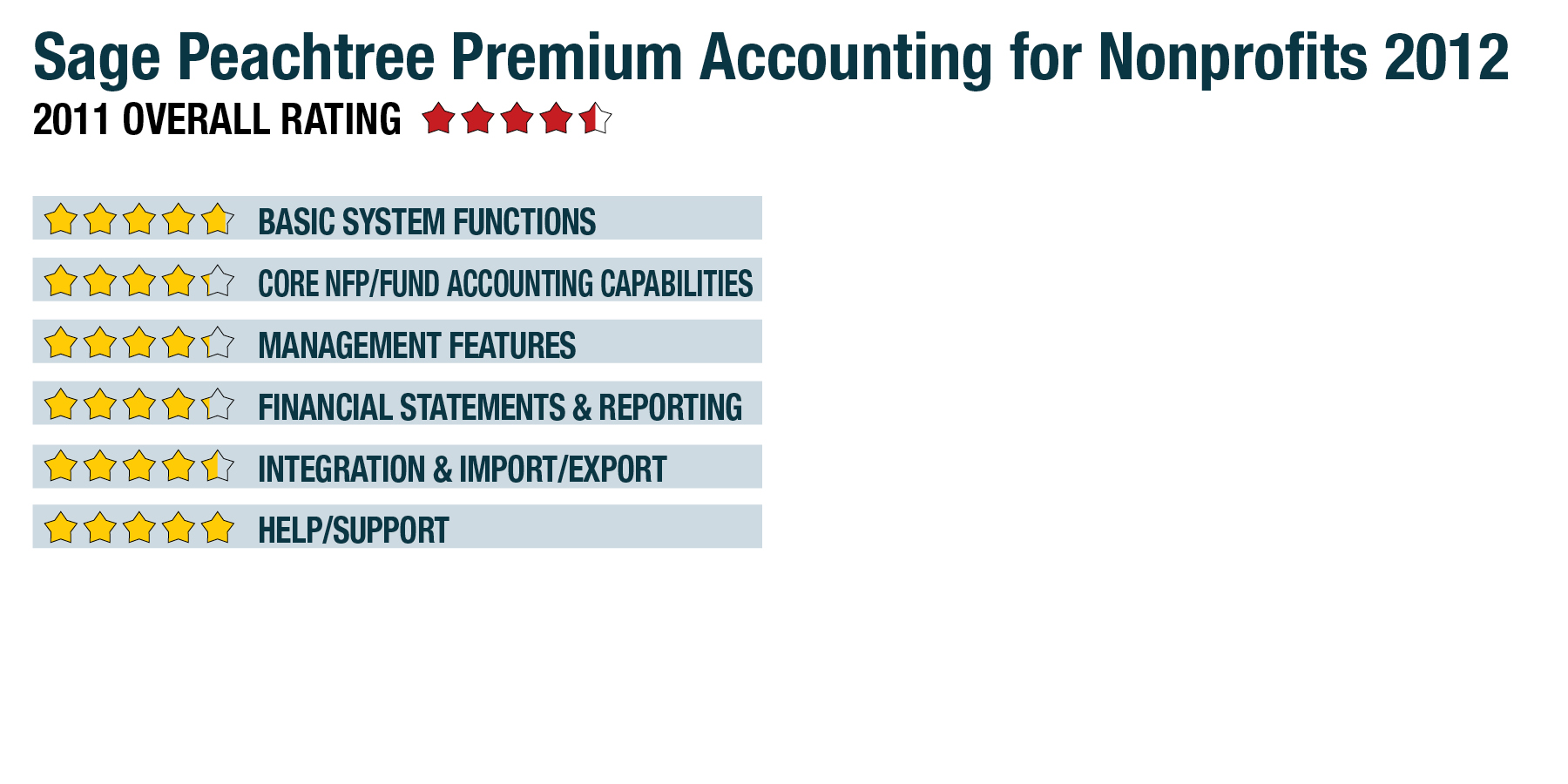
Management Features - 4.25 Stars
Sage Peachtree Premium Accounting for Nonprofits 2012 offers 11 new options that can be utilized with the popular My Dashboards feature, which is available in Sage Peachtree Quantum, including General Journal Entries, Purchases Received, Top Vendors, Assemblies, Inventory Adjustments and Item Purchase History. The Management Centers have also received many improvements, making them even easier to customize. The Business Intelligence feature provides users with the tools necessary to create more robust reports using Microsoft Excel, and the My Dashboards option available in Sage Peachtree Quantum allows users to create a custom interface that features all of the information needed at a glance. Sage Peachtree’s Maintain Budgets option allows users to budget totals as needed, with the ability to easily forecast various financial scenarios by changing the budget totals.
System security is tight, with administrators able to set system access rights down to the task level. Integration with Microsoft Office makes it easy to create specialized letters to donors and constituents, whether for an overdue pledge or a request for support. Templates can be created for future use, making it even easier to send out mass mailings.
Financial Statements & Reporting - 4.25 Stars
Reporting and financial statement flexibility is excellent, with the ability to print multi-year reports for easier budget comparisons. Sage Peachtree reports offer the ability to drill down to the originating transaction for a full financial picture. For those managing multiple organizations, Sage Peachtree Premium Accounting for Nonprofits also allows users to combine financial statements for multiple companies to produce a big-picture scenario. All Sage Peachtree reports can be customized to better suit organizational needs, and users can add logos and create professional form templates (checks, invoices, etc.) for a more professional reporting appearance. Other nonprofit-specific reports are also available, such as the Donor and Grantor Receipt Report, along with the Statement of Financial Position and Statement of Revenues, both required reports for any nonprofit organization. Tracking of individual endowment funds or grants can be accomplished by setting them up using a specific GL segment, and all expenses and revenue recorded can be easily tracked and reviewed in a report or financial statement. Reports can also be exported to an Excel file, saved as a PDF, and emailed to recipients.
Integration & Import/Export - 4.5 Stars
Users can easily import or export data. All files imported or exported must be in ASCII format, with all files exported to a CSV file format. QuickBooks data can also be converted into Sage Peachtree data. As previously noted, Sage provides a long list of products that are designed to integrate with Sage Peachtree. Organizational accountants can easily access their client’s files remotely, with users simply setting up their accountant as a Sage Peachtree user.
Help/Support - 5 Stars
All Sage Peachtree products contain an excellent Help function. The Getting Started Guide helps new users navigate the system and get up and running quickly. Sage Peachtree also provides numerous tutorials, as well as a direct link to the Sage Peachtree knowledgebase. All product updates and service packs are available on the vendor’s website and are automatically pushed to customers. They can also be accessed and downloaded manually at the user’s convenience. Additional levels of support are available with Sage Business Care, as well.
Summary & Pricing
Sage Peachtree Premium Accounting for Nonprofits 2012 is available for $499 for a single-user system. It is an excellent option for the small nonprofit organization looking for solid nonprofit reporting at an affordable price point.