
Thomson Reuters – Accounting CS
Aug. 02, 2011
800-968-8900
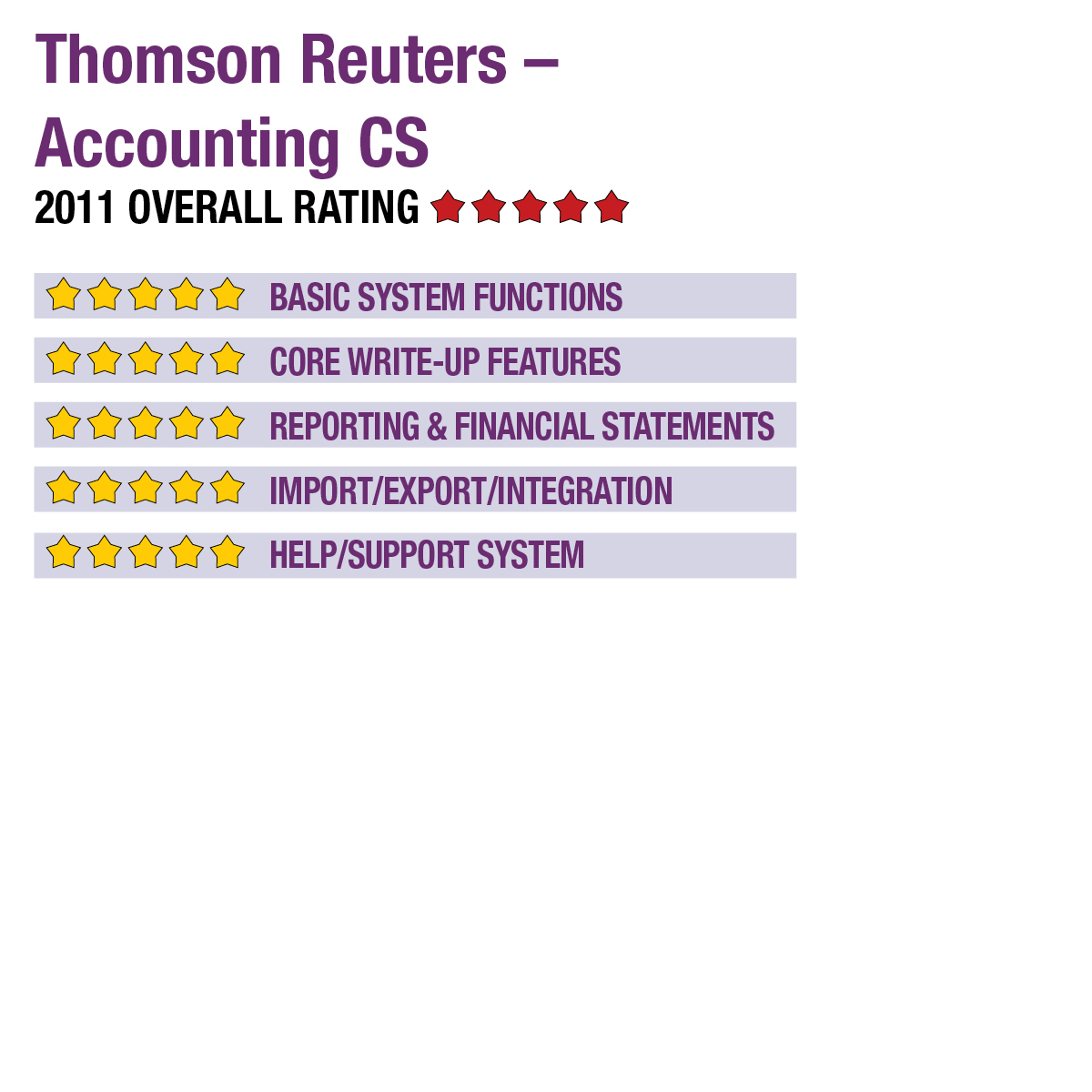
2011 Overall Rating 5
Best Fit:
Firms looking for a central write-up and trial balance system as part of a suite of integrated tax and practice management systems for managing workflow across all engagements.
Strengths:
- Excellent integration
- Comprehensive reporting & financials
- Broad payroll compliance with state & some local support
- Client-side accounting & collaboration
- Client portal options
Potential Limitations:
- Higher price point than many other systems
- Modules for AP & AR not scheduled to be implemented until November 2011 & Fall 2012, respectively.
Summary & Pricing
One of the greater benefits of the Accounting CS system is in its integration with other programs in the CS Professional Suite, which helps streamline workflow processes across all engagements. The program offers extensive reporting and customization options, as well as strong payroll compliance tools. A four-user license for Accounting CS costs $4,300 for the first year (includes implementation and 60 days of support), with renewals priced at $1,400 per year.
Product Delivery Methods
_X_ On-Premises
_X_ SaaS
_X_ Hosted by Vendor
Basic System Functions 5
Core Write-Up Features 5
Reporting & Financial Statements 5
Import/Export/Integration 5
Help/Support System 5
Thomson Reuters – Accounting CS
800-968-8900
Best Fit:
Firms looking for a central write-up and trial balance system as part of a suite of integrated tax and practice management systems for managing workflow across all engagements.
Strengths:
· Excellent integration
· Comprehensive reporting & financials
· Broad payroll compliance with state & some local support
· Client-side accounting & collaboration
· Client portal options
Potential Limitations:
· Higher price point than many other systems
· Modules for AP & AR not scheduled to be implemented until November 2011 & Fall 2012, respectively.
Introduced last year, Accounting CS from Thomson Reuters is the vendor’s next-generation combination of write-up, trial balance, compliance and client-side bookkeeping. The system is designed as a complete firm accounting solution, with the ability to extend web-based accounting capabilities to business clients, so that their data lives on the same central database used by the firm. The program includes after-the-fact payroll functions, and has an available add-on for processing live payroll. Accounting CS also integrates with the other CS Professional Suite applications, including document management, practice management, fixed assets, tax planning and tax compliance.
Basic System Functions
Installation of Accounting CS is guided, and its template-based interfaces help with common setup tasks, including creating charts of accounts, banking information, check writing functions and system defaults. When setting up clients, existing entities can be copied or details can be entered completely from scratch. Custom data fields can be added at the firm, staff, client, employee and vendor levels. Security settings allow for granular access to specific program areas and functions, and individual users can also customize dashboards and interface components.
The application’s slick interface was introduced last year when Thomson Reuters debuted the newly designed system. The program initially displays any alerts and firm information, then offers a system centered on key dashboards screens. The Firm Dashboard displays customized information in panels, such as staff availability, e-filing functions and document management tools. The Staff Dashboard can include the individual user’s schedule, available support documents and resources, and links to desired websites (with some already added for the IRS, SSA, the online ARNE2 user community as well as the system’s support website).
Most GL and journal management, reconciliation, payroll and other day-to-day activities can be accessed while in any area of the program via a vertical menu on the left side of the screen. The Client Dashboard offers a broad overview of key client data, including bank account information, vendor management, income statements, budgets and employee management. The information on the Client Dashboard can be tailored to the specific user’s role and preferences. Transaction entry screens offer drop-down lists for selection of transaction types, subtypes, journals, periods and dates, and allow for the use of templates. Users can scroll between individual transactions or display them in a spreadsheet view. Screens for other tasks offer similar selection lists and tabbed access between functions, with multiple navigation options making the program very user friendly.
Accounting CS can support any number of concurrent users and an unlimited number of companies, with support for consolidated, multi-level and multi-location business structures. Client access to the application is provided through the secure Thomson Reuters server farms, using either NetClient CS or Client Virtual Office CS. The client can have multiple users entering data simultaneously for a single entity, and the accounting firm can determine the functions and access rights that the client and its employees have within the system. 5
Core Write-Up Features
Accounting CS includes full GL, along with trial balance, bank reconciliation, payroll and payroll compliance functions. The AP module, which was not reviewed, is scheduled to be released to users on November 1, and the AR module is slated for release in Fall 2012. The chart of accounts and journals can be accessed from the Client Dashboard, with functions for managing transactions, correcting entries and reversing entries, or creating automatically recurring transactions or reversals. In addition to the ability to perform these functions individually or in batch mode, the system also includes cross-client and multi-user processing features that enables staff to work across multiple clients at the same time and to collaborate with other firm users on workflow tasks.
Accounts can be grouped in any number of ways and include up to 20 customizable account segments. Custom fields and filtering capabilities ease tracking of information and reporting. Transactions can be worked on in a journal view or in a bank account view with the check register. Vendors can be created quickly and without leaving the transaction screens. Accounting CS includes built-in SSN and TIN verification.
Reconciliation functions include the ability to import bank statements, view transactions, and match and clear them. A Reconciliation Analysis feature automatically generates a summary of account activity, hash totals, the GL balance and differences. Reconciliation functions also include the ability to track credit card transactions and direct deposit activity. Check writing options allow for MICR printing on any paper stock, with support for individual company logos and digitized signatures. The cross-client workflow tools ease batch check writing across multiple clients.
Accounting CS includes after-the-fact payroll compliance functions, with the ability to add the following: full, live payroll with accruals and benefits management, direct deposit to multiple banks, client employee self-service, human resources offerings and third-party deductions. The standard after-the-fact capabilities include batch processing of forms W-2, W-2C, 940, 941, 943, 944, 945, 1099, the adjusted versions and state counterparts. Some local payroll tax forms are also available for CO, KY, MI, MO, NJ, OH and PA. The system includes all state withholding rates and has a Location Finder utility that determines the correct payroll tax rates based on employee zip code and employer location. 5
Reporting & Financial Statements
Accounting CS has comprehensive reporting options that extend from firm-wide overviews, lists, processing schedules and sales tax information, to client-specific output focused on accounts, journal entries, deposits, registers and condensed, detailed and segmented trial balance reports, variances and worksheets. The application also has more than 30 standard reports related to payroll activity.
Financial statement options include period comparisons, budgets and rolling options for income statements, retained earnings, cash flow and balance sheets, to name a few. Reports can be annotated and customized using a built-in report writer, including the ability to add graphs and charts. Accounting CS also includes template compilation letters, filing instructions and review letters. Reports and financial statements can be saved to Microsoft Excel, PDF, HTML and RTF formats. They can also be emailed to recipients or stored in the optional File Cabinet CS document management system. Invoicing is available in the Practice CS practice management application. 5
Import/Export/Integration
Accounting CS offers complete client data integration with the CS Professional Suite, including UltraTax CS, File Cabinet CS and Practice CS. The system can import client data from QuickBooks, Excel and CSV formats, enabling transfer of data from virtually all payroll, tax and accounting systems. The web-based client-side bookkeeping solution provides an integrated client-accountant data approach, with the firm determining the capabilities a business can access, such as only posting transactions and check writing features. The data is always live and accessible to the firm. This feature, along with the portal and document management options from Thomson Reuters, provides excellent client collaboration capabilities, and eliminates the need to send bank account adjustments back to the client. 5
Help/Support
The system’s built-in support functions include a traditional Help index as well as task-specific Help and form instructions are accessed by pressing the F1 key from anywhere in the application. Also included are links to the company’s knowledgebase and support center, the IRS and other resources, including the ARNE online user community. Online support includes the aforementioned knowledgebase, system updates, marketing tools, news and training options. Live technical support is free during the initial 60 days, but then requires per-use pricing or a support subscription. Accounting CS has been written using the latest development tools to take advantage of the connectivity built into modern operating systems. 5
Summary & Pricing
One of the greater benefits of the Accounting CS system is in its integration with other programs in the CS Professional Suite, which helps streamline workflow processes across all engagements. The program offers extensive reporting and customization options, as well as strong payroll compliance tools. A four-user license for Accounting CS costs $4,300 for the first year (includes implementation and 60 days of support), with renewals priced at $1,400 per year.
2011 Overall Rating 5
Product Delivery Methods
_X_ On-Premises
_X_ SaaS
_X_ Hosted by Vendor