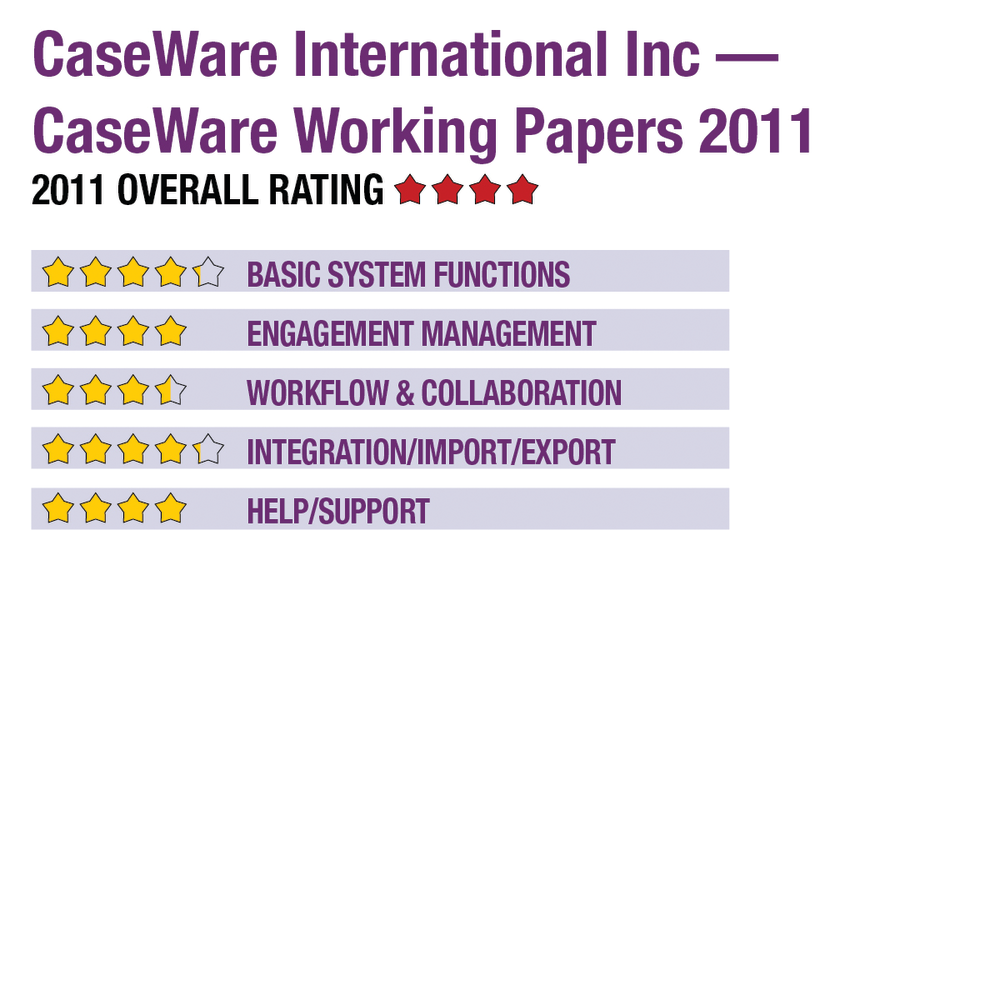
2011 Review of CaseWare International Inc — CaseWare Working Papers 2011


CaseWare - CaseWare Working Papers
800-267-1317

www.caseware.com

From the August 2011 Review of Engagement & Trial Balance Systems

Best Fit: Firms that are looking to gain significant efficiencies in their financial reporting (no matter the size of the firm).

Basic System Functions:

The CaseWare Working Papers product is fairly easy to navigate, with standard icon and menu list options throughout the product. Like with other engagement applications, users will feel very comfortable performing routine tasks after just a short time. The trial balance and write-up features allow users to create financial statements in different basis of accounting (cash, accrual, governmental, etc.) with relative ease. When the user sets up the engagement, an accounting basis option allows them to choose the basis of accounting that fits the engagement. In addition to different bases of accounting, the product also allows for consolidations of multiple trial balances and funds.

Financial statements and footnotes can be created using the following:

Strengths
  • User interface & intuitive workflow
  • Strong financial reporting module
  • SmartSync’s fast “real-time” collaboration
Potential Limitations
  • No web hosted version currently available
.
  1. Built-in financial reporting software, CaseView, which provides the functionality of Word and Excel combined;
  2. Any of CaseWare’s add-on Template products, such as IFRS or GAAP Financials Templates; or
  3. CaseWare Connector, an add-on product that provides direct connectivity to Excel and Word

Both CaseView and the pre-built templates can create the table of contents, reports, financial statements and the footnotes. All financial statement components can also be tagged with XBRL..

Financial data in the program can also be easily exported into Microsoft Excel and CSV formats. Users are able to set up their engagement files to import from clients into a standard mapping that allows for significant engagement efficiency year after year. In addition to setting up templates for each type of engagement, Working Papers allows for customized financial analytics and detail analysis of the progress of each engagement. CaseWare also offers an additional service that allows the integration of U.S. and International accounting guidance.

Engagement Management:

Each file is secured with unique user names and passwords. The engagement manager can limit and restrict access to each engagement file on a granular level. The basic file structure is very similar to most websites and allows for multiple views of the files based on the user’s preference. The software works with a number of external document management systems such as Interwoven Workspace and Doc-IT DM, and the vendor is developing a proprietary document management system as of the time of this review.

Users and engagement managers can easily manage open items and create, clear, and delete review notes and tickmarks. A summary view for each user easily manages the individual or team workload to make sure the engagement is right on track. Working Papers allows access to a budget template, but the budget template does not capture time automatically to compare budgets to actual results.

Users are notified when changes to reviewed workpapers occur as well as when lockdown compliance rules are about to take effect.

Workflow & Collaboration:

Working Papers is designed for multi-user engagements, and there are two separate ways the system manages the multi-user environment to prevent data conflicts: (1) SmartSync, an automatic sync of all engagement data, which for documents retains multiple versions of each document; (2) Traditional “Check-in” and “Check Out,” which allows users to check out different sections of the engagement file and the user selects which changes are retained (the database file is normally saved on a server in this instance).

This content continues onto the next page...