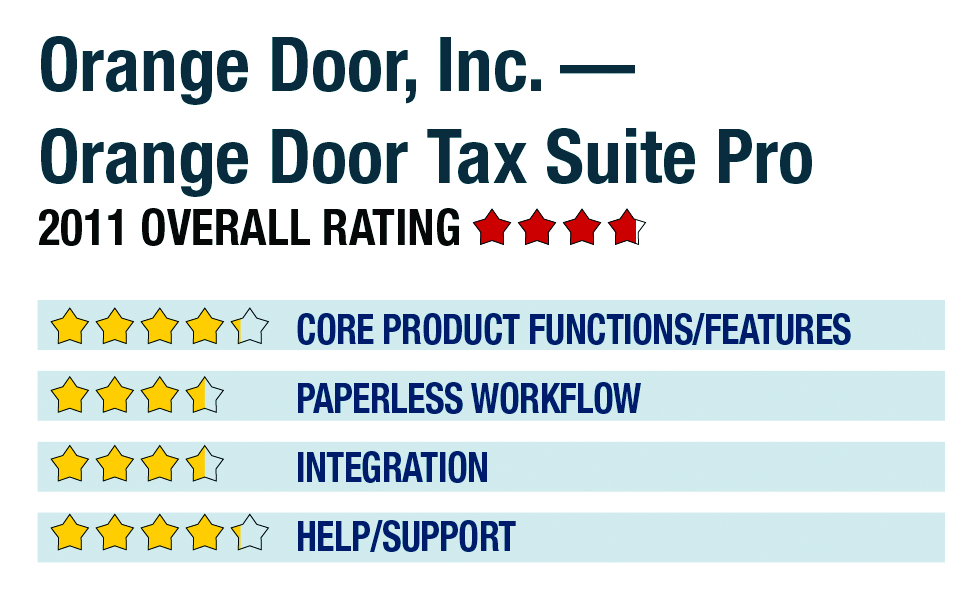
Review of Orange Door Tax Suite Pro - 2011
650-952-1773
www.orangedoorinc.com
Best Firm Fit:
Small practice with less complex clients, primarily 1040-focused, who need mobility or remote access, and ability to quickly ramp up/down the number of users
Strengths:
- Fully web-based
- Client portals/collaboration tools
- Instant ramp-up/down for any number of users
- Integrated billing & practice management features
- PC, Mac & Linux friendly
Potential Limitations:
- Limited workflow optimization tools
- Basic PDF output
- Minimal local tax support
Orange Door, Inc. has been offering its completely web-based Orange Door Tax Suite Pro compliance package since 2006, and has grown the package to include support for most entities and all states with integrated e-filing, while also providing digital document storage, practice management and client collaboration tools. The system is generally geared toward smaller firms with mobile needs, and is available in various bundles or on a pay-per-return basis.
Core Product Functions/Features
Orange Tax Suite Pro provides professional tax preparation support for forms 1040, 1041, 1120, 1120S and 1065, with support for all states, as well as multi-state reporting with income allocation tools. It does not support Puerto Rico reporting. The program includes some New York City forms, but does not generally provide full compliance for local tax reporting, although the company notes that it is working to add Ohio and Michigan municipal returns in coming years.
For TY 2010, Orange Door redesigned its secure, web-based interface based on the new FAST SaaS platform, with the primary work area opening within the user’s browser to display the master client list, which offers multiple sorting options as well as e-file and return status. Key program functions are available via very intuitive icons at the top of the screen, including access to messages, data entry, firm information and firm reporting options, which include user-productivity management functions such as number of returns, the amount of time spent on returns and billable revenue per preparer. Additional panels on the home screen include a task and priority monitor that alerts users to pending actions, as well as a lower icon bar with options for accessing client organizers, a tax estimator feature, bank products and invoicing.
Within a client return, the program uses both interview-based worksheets and form views for data entry, automatically transferring basic information as new forms and worksheets are added to a client return. FICA taxes for 1040 clients are automatically calculated on W-2 entries, but can be overridden if desired. Additional menus are available with client engagements, including form searching, an expandable federal and state forms list, and icons for moving between summary information, documents, prior year data, import tools, the client organizer, letters, e-filing and review functions. The interview forms are well presented and are intuitive, and the program automatically saves data as it is entered. Users can jump to a form view for review and can override automatically calculated and transferred line entries, but data is best entered on the interview worksheets. Data can also be imported from web-based client organizers.
Orange Door includes support for amended returns and extensions for all federal and state entities, provides simple import of K-1 data and kiddie tax returns, and automatically checks for AMT. It does not offer a simple MFJ/MFS toggle to identify the most advantageous filing status. Unlimited federal and state electronic filing is included for all entities and states that support it. 4.25
Paperless Workflow
Orange Door provides generation of PDF copies of returns and includes email integration, as well as secure client portals and web-based client organizers that allow data to be imported into the system without manual entry. These features allow for paperless collaboration with clients, enabling sharing of documents and final returns, as well as other files such as correspondence. The program includes a document storage system, as well, where users can save files on the vendor’s secure servers and have constant access to the files at any time. File structures can be determined by the tax firm.
- « Previous Page
- 1
- 2
- Next Page »