
2011 Review of Sage North America — Sage Timeslips 2012

Sage North America — Sage Timeslips 2012
800-285-0999
www.sagetimeslips.com


From the Oct. 2011 Review of Time & Billing Systems.

Best Firm Fit: Small and mid-sized firms.

Strengths

  • Timeslips eCenter allows users to enter time & expenses remotely.
  • Timeslips Today dashboard view provides helpful information & is customizable.
  • Integration with accounting software, including Sage Peachtree and QuickBooks.

Potential Limitations

  • Does not support HR tracking, such as personal time off.


For over 25 years, Sage Timeslips has been one of the industry leaders as a time and billing solution for lawyers, accountants and any other type of business that bills for its time. This full-featured program includes tools for easy time entry, insightful reporting with dashboards, and integration with several accounting software packages. Most firms install Timeslips in a client/server configuration with a single database file stored on a network, though the program also permits the use of multiple databases.

Timeslips eCenter, an optional web-based version of the software, allows users to enter time and expenses remotely with a web browser and an internet connection. The slip list and time entry screens look very similar to the desktop version and provide a similar level of functionality. Timeslips eCenter also provides access to many user preference settings, administrator settings and reports. In the near future, Timeslips plans to introduce iPhone, Android and BlackBerry apps that will integrate with the eCenter.

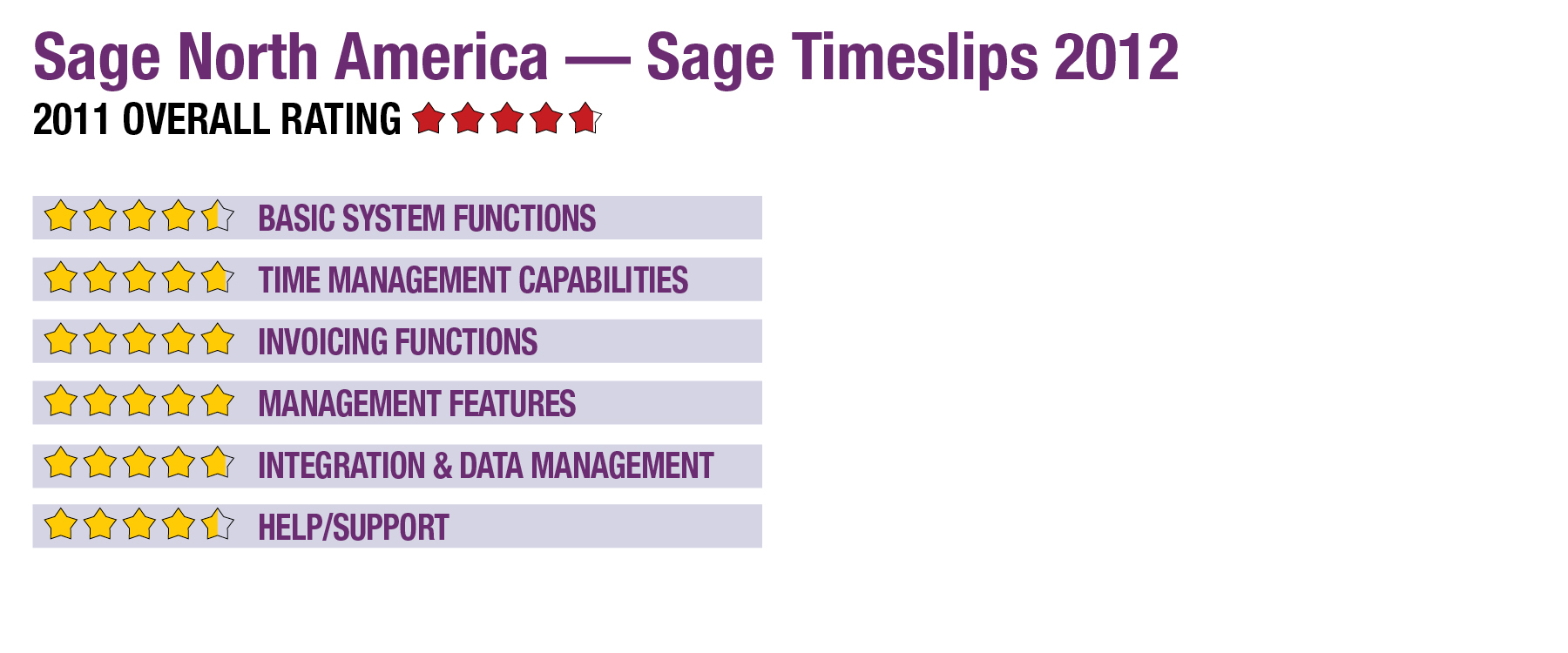
Basic System Functions (4.5 Stars)

Like all Windows applications, Timeslips has the traditional menu and icons across the top of the screen. On the left side is the Navigator with icons and a list of the major areas of the program that, when selected, show dashboards in the primary window and links to each function in a workflow view. The layout is very customizable, with the user able to drag toolbars from one location to another and hide the Navigator. Timeslips can also be navigated with an array of shortcut keys, which are displayed on menus throughout the program.

Time Management Capabilities (4.75 Stars)

In the program, time and expense entries are referred to as “slips” (hence, the name Timeslips), with multiple ways to enter slips. For detailed entries, the best method is the slip entry screen, which includes fields to enter a timekeeper, task, client, reference, notes and other options. The timesheet slip entry screen is best for quick entries, since it shows slips in a spreadsheet format by week with the rows based on defined slip templates showing the client and task. On the right side of the timesheet screen, the user can see weekly totals for a client/task, and on the bottom the daily time totals are displayed.

Stopwatch timer icons are on both the slip entry and timesheet views, and can start or stop recording time with the click of a mouse button. Timers can be started easily within the timesheet view by simply right-clicking in the desired cell. The program also includes a separate application called TSTimer that can run without having to open Timeslips. The TSTimer contains buttons to start, stop, open and delete timers, as well as convert them to slips. Multiple timers can be open and run simultaneously.

Timeslips provides three options for users to enter time remotely: Timeslips Remote (an add-on product), the aforementioned Timeslips eCenter, and by transferring slips by e-mail. Timeslips does not support any type of paid time off tracking, such as accumulated vacation or sick time.

Invoicing Functions (5 Stars)

Timeslips handles several billing arrangements, including hourly, contingency, flat fee, percentage of completion, interim billing and progress billing. The user can run the Billing Assistant, an interactive tool with drilldown capability, for reviewing and editing invoice details. In addition, the print preview screen allows the user to change descriptions and amounts. In an interface similar to a word processor, invoice templates can be customized with text, images and fields from client contact information.

This content continues onto the next page...