



2011 Overall Rating 4.75
800-388-4697
www.Peachtree.com
Best Fit:
Easy-to-use application for those who handle inventory, job costing or other complex areas; evolves with the needs of small businesses.
Strengths:
– Scalable application with numerous industry versions
– Business Status Report, along with New Sage Peachtree Business Intelligence reporting, Business Analytics for Sage Peachtree & existing Crystal Reports for Sage Peachtree offer most reporting options
– Inventory & light manufacturing
– Natural upgrade path to Sage Peachtree Quantum, which supports up to 40 named users
– Some Business Care support plans also include upgrades, payroll tax updates & new Sage Peachtree Business Intelligence reporting
Potential Limitations:
– So many products & services in ecosystem that it sometimes becomes confusing
– Supports a single currency (USD) & available only in the United States
– Multiple warehouses only supported in Sage Peachtree Quantum Manufacturing Edition
Executive Summary & Pricing:
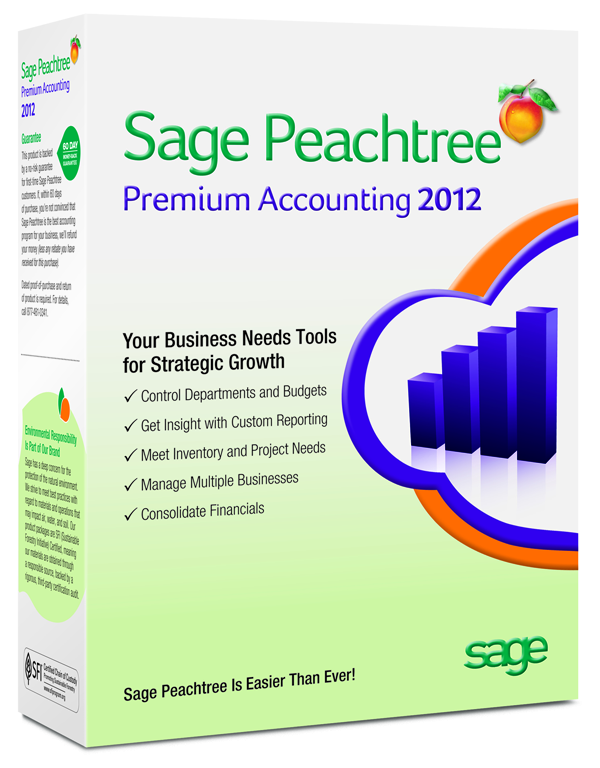
Sage Peachtree Premium Accounting continues to offer a product that evolves with the needs of the small business. Sage Peachtree 2012 contains all of the features that have made Sage Peachtree a necessity in millions of small businesses, along with an impressive array of new features that only serve to make this product even more desirable. Sage Peachtree Premium Accounting 2012 costs $499.99 for a single-user system. A five-user version will cost $1,199.99. This product offers solid core accounting functionality, along with a host of features that will make their job much easier. Designed for small and growing businesses, Sage Peachtree Premium Accounting 2012 remains a strong solution for any small business.
4.5 – Basic System Functions
5- Core Accounting Capabilities
4.75 – Day-to-Day Operations
4.75 – Management Features
4.75 – Integration & Import/Export
5 – Help/Support
Sign in to get access to this free resource, and all of our whitepapers and reports.

Download this content today!
Register Now Already registered? Click here to Log In