
Technology
New Tools, Now What?
A Top Technology Initiative Article
Jan. 28, 2013
From the February 2013 digital issue.
After the frenzy of new hardware introductions in 2012, it is time to get down to business and use these tools for the benefit of our clients and ourselves this year. Most hardware products that were shipping in February of 2012 have been replaced with an updated model or a radically better piece of hardware to do the job.
For example, there is not a single phone or tablet that I’m recommending right now that was available a year ago. The same is largely true for desktops, portables, monitors, scanners, servers, firewalls…you get the idea.
Using the new hardware to our advantage, and making the right strategic choice of technology is critical to maximizing business results. What can we gain by using touch screens? Where does it make sense to use tablets? Does everyone need portable technology to do their job effectively? What is the ROI like? Will we be able to see tangible results by making hardware changes? What about software to support this new hardware?
As 2013 unfolds, we’ll see new software to support the release of Windows 8 and Office 2013 plus many new products that have merit on their own.
The Shift
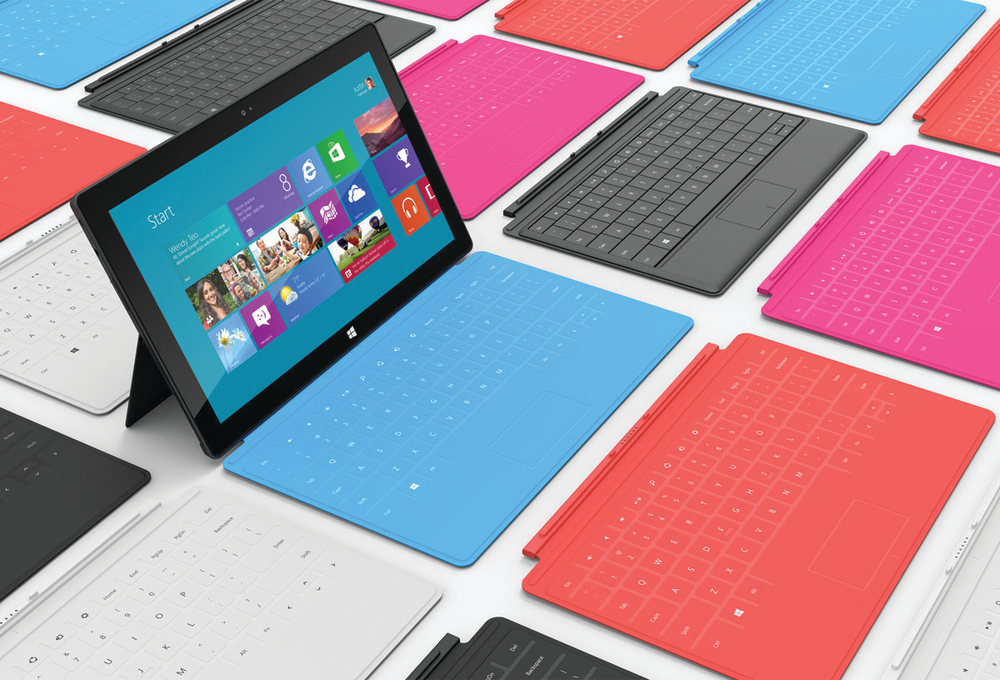
One of the more difficult transition decisions will be to embrace touch screen technology. Almost as difficult is learning to use gesture based touchpads instead of the mice that we are now are quite comfortable to use. Microsoft has taken the position with Windows 8 that laptops and tablets should use touchscreen and even desktops can be driven by touch although mouse support is included.
Further, support for touch pads, handwriting script and voice are all more sophisticated and reliable on Windows 8, providing a new way to interface with your computer. On the other hand, Apple is taking the position that a desktop computer is better off without touch and that a mouse is still your best friend…although my personal preference is still for a two button mouse on OS X, instead of the one button approach preferred by Apple engineering.
Not supporting touch in desktops is particularly interesting given the touch culture of the iPad, iPod and iPhone. Just because we have the engine and transmission to run faster with touch in Windows 8, doesn’t mean we have the fuel of new applications to drive the experience.
However, if the changes in applications like Skype are any indication of the future of Windows applications, you can count me in for this new way of working. Touch screens and touch pads will also force us into changing our desks, monitors, and keyboard set up, which is more expense, too.
The tiles and the icons of the new Windows 8 are active, meaning they display content in addition to simply being an icon. This subtle change lets you see summarized or key information in a scrolling display without ever entering the application creating an active dashboard. We have some concern for the potential security issues, but in the big picture, the scrolling icons are certainly productive.
This feature alone has driven me to new hardware that can support Windows 8 mobile on a new generation phone. This touch screen user experience with Windows 8 puts us in a position we have to consider the end-user hardware, even if we strategically say “no” to upgrades. Windows 8 performs slightly faster than Windows 7 on the same hardware, but what a difference touch screens and Solid State Drives (SSDs) make in the experience.
Another notable Windows 8 feature is Windows to Go, which allows a complete machine to be installed on a USB stick, accommodating contractors and temporary workers on their own equipment. This technology further supports a Bring Your Own Device (BYOD) strategy.
Servers, SANs and their supporting disks, switches and more have also had notable hardware ugprades during the past year. Even if you take everything to the cloud, these data centers have to frequently update their hardware to remain competitive, and this will affect your monthly costs.
If you maintain a server farm in-house, the economics and performance of the new hardware will make the use of virtual desktops feasible and affordable over the next year or two. Even if you are using virtual desktops, end user hardware will still need replaced and when you do, Ultrabooks, Thin Clients and other new hardware is likely in your future.
Even though pundits are reporting that computer sales are slowing, most of us will still need one or more computers to get our job done. Our current working rule is that if you are replacing any hardware, look to see of the strategy you have been using still makes sense. Stay the course if it does, but don’t be afraid to shift now to maximize your ROI.
The Plan
Step back and question all of your prior technology decisions. We have seen brand loyalty shifts that are big, but for now, we still recommend a level of brand loyalty to minimize operational costs. If you are an HP shop, remain an HP shop…or Dell, Lenovo or Samsung for that matter.
If you decide to make a brand switch, have a plan to make the switch completely over a relatively short period of time. One caution in this area: we have extended the amount of time that desktops and some laptops are kept because the virtual desktop or remote access environment has made us less dependent on a specific computer.
Look at your business plan and needs. If the strategy and tactics are still pretty much the same, look at your IT strategy and tactics and see if they should remain the same, too. If both the business plan and IT plan are relatively stable, assess the changes in your software.
Is the publisher doing things pretty much the same, or are they making strategic shifts? Two big examples might come from CCH and Intuit. CCH SaaS is a strategic shift in the product offerings from this major publisher. Intuit has made a radically different user interface in QuickBooks 2013 available, and has been working on the QuickBooks Online interface for over two years, making for a wonderful experience on a tablet.
Now assess new technology opportunities including, but not limited to: touch, high speed cellular, tablets, Solid State Drives, Backup systems, cabling, 802.11ac wireless, scanning, printing including your office copier, as well as your meeting or conference rooms. What about using active digital signage? What technology is available that should be used, what does it cost, and what is the return?
Lay out all of the changes, costs and training needed to make these new technologies effective. Do a classic Ben Franklin evaluation where you consider the disadvantages and advantages of changing. Also consider the disadvantages and advantages of remaining the same. Compare these lists, and only act when the change looks to have advantages and the costs show a reasonable return.
The Results
Prepare to measure the outcome of your technology investment by looking at your current business measures. Are new or different measures needed? Do we need to create a new baseline measurement of current costs? Consider what the impact of your technology changes will be and look at the measurements.
For example, if you currently complete a task in X amount of time, what is the new Y amount of time after the implementation? If the change made things worse, what can we do to adjust the results?
The more you measure and watch, the better job you will do in the future, and the quicker you will make adjustments when things have gone wrong. If you are doing the proper planning, you will know you have chosen the right new tools, and won’t find yourself asking the question: Now What?