
Technology
140,000 Reasons to Integrate Tablets into Your Firm
With 140,000 apps available for the iPad and thousands for other tablets, the devices make sense for many practices.
Jan. 04, 2012
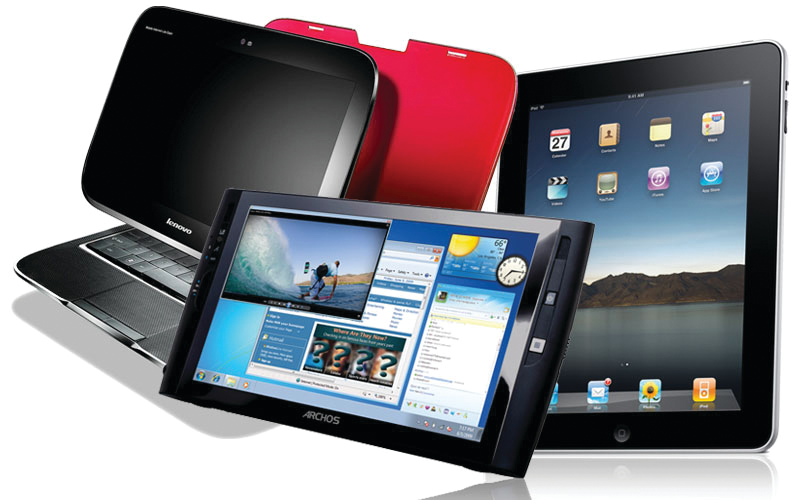
One of the most frequent questions I have received in my CPE presentations and consulting engagements over the past year is; “Why do I need an iPad for my firm?” It’s an excellent question because it is an important strategic decision as to whether or not you should start deploying these in your firm. While they are relatively inexpensive on an individual basis, the investment can rise significantly when you purchase them in bulk.
Now that I have had the opportunity to use an iPad for the past year for both personal and business use, I have come to the conclusion that even at the current price levels for these devices, an investment in a tablet can be justified for every “information worker.” Of course, accounting and tax professionals are some of the most intensive information workers in business today, so I believe the baseline justification exists. My basis for this conclusion is that it is all about personal productivity. Employees in general are an expensive investment and professionals to an even greater extent. Therefore, if we can provide them with tools that allow them to get things done more efficiently, at a reasonable investment, then we should.
As a point of reference, the focus of this article is on the use of tablet devices in an accounting and tax practice. However, I make a number of specific references to the iPad simply because it is the de facto standard for the tablet device market with approximately 70% of the market share according to a report released by International Data Corp. for 2011. I believe that the tablet platform will become much less important in the future because the most successful app developers will build their applications to work on all of the major platforms.
Can I replace my PC with an iPad?
This is probably the second most frequent question I get asked about the iPad. I think it is important to understand the role of the tablet vis-à-vis the PC or laptop. iPads are not designed to replace laptops, rather their role is to complement them. The iPad is essentially a utility tool that extends the reach of your information system. Think of it as a “consumption device” for consuming information such as viewing documents, conducting research via the web, participating in online meetings and video conferences, and working with e-mail.
Your PC or laptop is the “production device” that is designed for data entry and information processing such as entering transaction data, creating spreadsheets, composing documents, etc. There are definitely overlaps between the two devices and many people who currently utilize a laptop only as a consumption device can forgo the laptop in exchange for a tablet. But for most accounting professionals it is more appropriate to have both tools at their disposal.
140,000 apps and counting.
That’s how many “apps,” or applications, were available on the Apple AppStore at the time this article was written. They are what bring life to the iPad and expand the scope of its functionality. The iPad comes with a core set of apps that for many business users can be enough to justify the investment. A quick rundown of some of the more practical “built-in” apps include:
Mail – Allows you connect to multiple email accounts, including synchronizing with MS Exchange.
Calendar – Synchronizes with MS Exchange to keep your calendar up to date while you are on the go.
Contacts – Maintains a database of contact information that can also synchronize with MS Exchange
Notes – A traditional Yellow note pad for composing meeting notes and attaching them directly to an e-mail message.
iBooks – the library for storing and reading your eBooks and PDF files.
FaceTime (iPad 2 only) – This app lets you have a face to face video conference with colleagues, clients and others.
Reminders – A simple app that keeps track of your to do list. These will sync with your to do list in MS Exchange.
In addition to these practical apps there are an abundance of third party developed apps that can help you leverage the iPad as a valuable business productivity tool. I have provided a sample of some of the more practical apps below. Keep in mind that the supply of apps is growing exponentially and not all apps are created equal. So do the appropriate due diligence before you purchase. It’s not about protecting your $5 investment in the app, it’s about protecting yourself from losing valuable information with an app that constantly crashes. Ideally, talk with others who have been using the app, or at least do a Google search for independent reviews on the app.
Apple Apps – Apple offers a set of apps that can be used to replace your MS Office apps.
Keynote ($9.99) is a presentation app that can import PowerPoint files.
Pages ($9.99) is the word processing app that can import Word document files.
Numbers ($9.99) is the spreadsheet app that can import Excel workbook files.
Quickoffice Pro ($19.99) – This app lets you create, edit and share MS Office documents and PDF files between your iPad and PC. The built in file manager lets you exchange files via the cloud or through iTunes.
Evernote (Free / $5 per month premium version) – This is a versatile note-taking app that works across multiple platforms; iPad, Android and PCs. If you have a camera it will upload your snapshot image to the server and process an OCR (optical character recognition) conversion that makes the image text searchable. Once you compose and save a note it will be available on any device that you have installed Evernote on.
Box.Net (Free / $15 per month) – This is one of many alternative cloud based storage services that provides password protected and encrypted (premium version) file sharing. This is an efficient way to transfer PDF documents and other files to and from your iPad.
GoodReader ($4.99) – This is a top selling app that lets you view PDF files on your iPad and annotate them with pop-up notes, highlights, underlines and many other drawing tools. The annotations are all compatible with Adobe Acrobat so that when you get back to your office you will be able to view your GoodReader annotations in Acrobat.
These are just some of the more popular apps that can help you transform your iPad into a productive business tool. Stay tuned, many more are coming.
Let’s get back to the big picture. I believe that the best way to optimize the value of the iPad and other tablet devices is to focus their deployment on the replacement of paper. Many firms have been working hard to make the transition to paperless workflows, but let’s face it, it is not as natural to markup an electronic document with a keyboard, cursor keys and a mouse. However, the touch screen and form factor of a tablet makes this process much more natural. So for 2012, analyze your core business processes to identify where people are taking documents and documentation offline, i.e., note taking and document review and design these processes to incorporate the tablet with a good viewer and annotation app and throw away the yellow note pads once and for all. I fully expect that by the time 2013 rolls around there will be an abundance of accounting and tax related apps that will help you integrate the tablet even further into your processes.
John Higgins, CPA.CITP is a Strategic Advisor and co-founder of CPA Crossings, LLC based in Rochester, Michigan. He specializes in helping CPAs to leverage technology to increase the efficiency of their business processes. You can reach John at jhiggins@cpacrossings.com