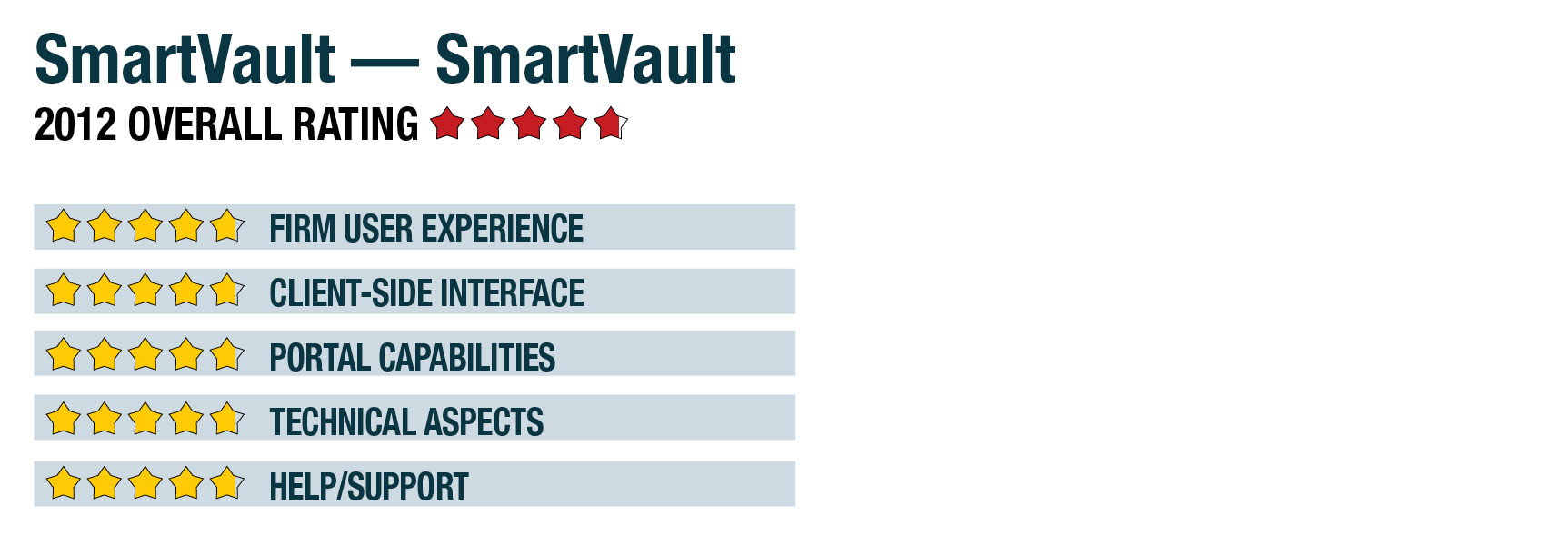
2012 Review of SmartVault — SmartVault
SmartVault uses the data hosting services of CyrusOne, whose Houston, Texas, facilities are SAS 70 Type II audited. All interactions with SmartVault by firm staff and clients take place over secure, encrypted connections, and data remains encrypted at all times. The system includes redundant data backup using Iron Mountain, which is also SAS 70 audited. These processes ensure compliance with all federal and state laws and regulations regarding protecting client data. The company does not guarantee uptime in user agreements, but the data hosting centers it uses have greater than 99.999 percent uptime reported for the past 12 months.
Client User Experience - 4.75 Stars
When clients are first invited to their SmartVault portal, they must create a user ID and password, which are not controlled by the firm. Users can easily reset or be reminded of passwords using a feature on the login page.
Clients can access their portal and shared documents by clicking on links sent to them by the firm, or firms can include a login link on their website. When logged in, clients see only the folders and documents to which they have been given access by the firm. They see a simple expandable folder-based interface that allows them to create their own folder structures and upload any kind of files to the accounting firm, including data files from their bookkeeping system, tax documents, etc. Clients and firm users can also edit files while they remain on the portal.
The client-side portal is an extension of the accounting firm’s account with SmartVault, and is totally free for those with whom the firm is sharing files. However, the system is also available to small businesses, which can have their own full SmartVault account that allows them to have online document storage and offer portal access to their own customers.
As an option for clients and firms using QuickBooks, a SmartVault Toolbar can be added into that program to make it easy to attach document such as invoices or receipts to entries and transactions. The system also offers additional integrations, which are discussed in the “technical aspects” part of this review.
Portal Capabilities - 4.75 Stars
Both firm staff and client users can upload and download any type of file, including documents, images and data files, and SmartVault makes it easy to share entire folders or individual files, each with their own access rights. In addition to being able to upload specific files, firm staff can map a folder on their desktop or server to a folder on the SmartVault drive.
With the system synching files, this provides drag-and-drop functionality for putting items in the web-based document management system. Firms then have remote access to those files, or the SmartVault drive can be set up so that files in specific folders are automatically shared to a client’s portal. Users can also save directly to SmartVault when working in other applications such as Microsoft Office, tax programs, etc.
All actions by staff or clients in SmartVault are tracked by an audit trail feature, and firm administrators and authorized staff can view activity logs that show when a user uploaded, downloaded, deleted or changed the properties of any document, as well as when user access permissions were changed and by whom.
All files stored on SmartVault, whether in client-accessible portals or in firm-only folders, remain on the system until deleted by a user with appropriate access rights. The system does not include automated retention or expiration options.
Technical Aspects - 4.75 Stars
SmartVault is available in four packages, with each varying on the amount of data storage and number of firm users. The Professional version offers up to 30GB of total storage, and no restrictions on uploading or downloading of files.
The portals can be used on all major browsers and on web-enabled mobile devices, including iPhone, iPad, Android, BlackBerry and others, with full access to functions, such as accessing and uploading documents. This includes the ability to take photos of receipts or other documents and upload the images or documents to the portal.
In addition to the SmartVault Toolbar for QuickBooks users, the system also offers integration with Results Software for QuickBooks CRM functions, SpringAhead for web-based time and expense management, XpandedReports, which expands QuickBooks reporting capabilities, Fujitsu ScanSnap scanners, and the sync function that connects PC and server folders to the portal. When working in Microsoft Office, users can save documents to the portal, and the drag-and-drop functionality also works with Outlook email messages and attachments.