
Technology
CCH Small Firm Services — PaperlessPLUS
Nov. 30, 2011
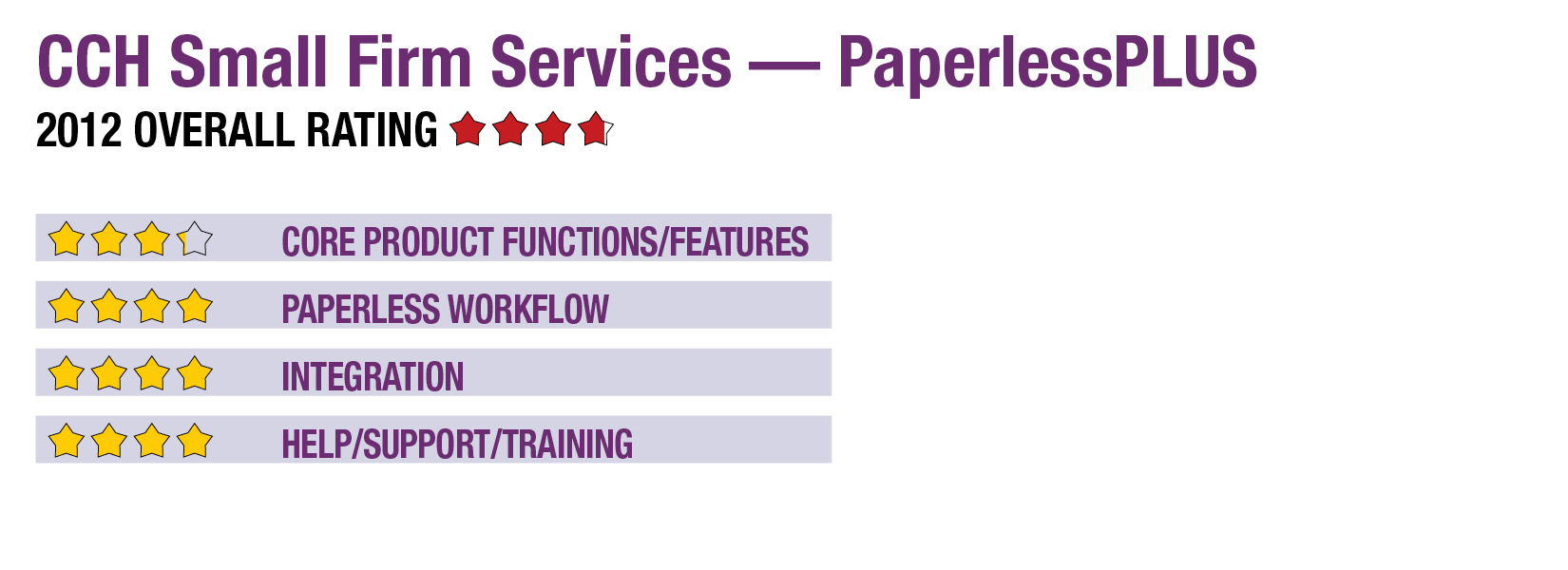
2012 Overall Rating 3.75
Best Firm Fit
Firms using TaxWise or ATX that are looking for both a document management and automated tax document tool. It’s a good fit for high-volume retail firms that need a solution housed entirely on premises, especially those that will use the integrated electronic signature pads.
Strengths
- Clean and intuitive interface. New users should be able to learn how to use the program quickly.
- Document management portion of the program is easily searchable and integrates nicely with TaxWise and ATX for automatic filing of documents.
- Only product reviewed here that has built-in integration with the Topaz electronic signature pads.
Potential Limitations
- Only forms W-2, 1099-MISC, 1099-R, 1099-DIV and 1099-INT may be exported to the supported tax software. Although PaperlessPLUS supports fewer forms than some of its competitors, the list of forms it covers is the most common among simple tax returns.
- Does not have the capability to populate capital gain or loss activity to schedule D of tax software.
Summary & Pricing
This product is available in two versions: PaperlessPLUS and PaperlessPLUS Premier. Since the basic version does not include the forms recognition technology, creation of a bookmarked PDF, OCR or data export to tax programs, this review focuses on the tools included in PaperlessPLUS Premier. (Unless otherwise noted, PaperlessPLUS refers to the Premier version throughout this review.)
PaperlessPLUS, formerly known as Scan&Fill, has a user interface and functionality similar to its predecessor, but its internal workings have been rewritten to make the program more efficient. In addition to its scan, organize and populate functions, PaperlessPLUS also includes digital document storage and integrated e-mail features. All parts of the program, including the OCR and organization of documents, run on a firm’s local computer or network.
The list prices for PaperlessPLUS and PaperlessPLUS Premier are $490 and $790, respectively, for unlimited usage. Additional fees apply for network licenses. Interested users can evaluate the product free for 30 days with Premier functionality.
Core Product Functions/Features 3.25
Paperless Workflow 4
Integration 4
Help/Support/Training 4