2011 Review of Intuit — ProSeries Fixed Asset Manager
Intuit - ProSeries Fixed Asset Manager
800-934-1040
http://proseries.intuit.com/products/fam
From the December 2011 Review of Asset Management Programs
Best Fit:
Professionals using the ProSeries tax compliance system, whose clients have increasing asset bases and moderately complex depreciation strategies and needs. The program can also be used as a stand-alone with the tax package.
Strengths:
- Direct integration with the ProSeries compliance system
- Intuitive interface & navigation
- Support for groups, departments, locations, cost centers & other sub entities
- Reports saved to Word, Excel & PDF
- Unlimited years of asset projections
Potential Limitations:
- No RFID or barcode scanning integration
- Limited consolidation/mass asset action functions
ProSeries has long been one of the most popular professional tax compliance systems on the market, in part because of its great integration with QuickBooks, but also because of the add-on modules and tools available for use with the system. This includes the new digital tax import feature, document management, scanner solutions, client organizer, payment solutions and the ProSeries Fixed Asset Manager, which can be used either in conjunction with the tax system or as a stand-alone application.
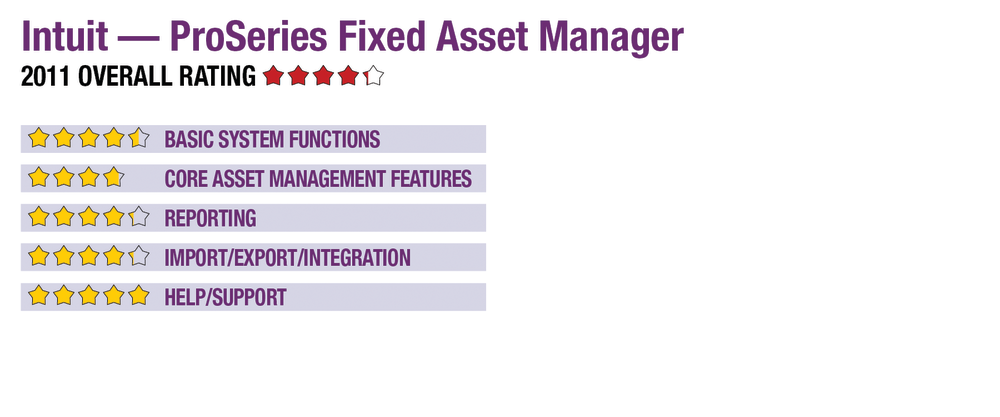
Basic System Functions - 4.5 Stars
The program opens into an interface that is similar to the tax program, which should make it easy to learn and navigate for those already familiar with ProSeries. But it is also intuitive for new users. Menus are available across the top of the screen, providing quick access to core areas. Users can select custom preferences for data fields, display settings and screen view options, as well as choose default file and export locations.
During initial setup of clients and assets, the system’s wizards guide users through data entry for such items as tax year, short years and default depreciation methods. Wizards also instruct users on how to copy the defaults of existing entities or create templates. The program’s main work screen opens into a Client Base, displaying all clients in a view that allows sorting by Client Number, Name or Federal ID. Within a client’s files, the system uses a tabbed screen that shows all of that entity’s assets in a selection list similar to the one for clients, showing key information such as ID, acquisition date, cost, basis and convention.
To view asset details, users can select from tabs at the top of the screen that include information on disposals, projections, an asset calendar and, of course, view all of an assets’ books in a side-by-side display. Tabs at the bottom of the screen give access to other information, such as depreciation schedules. These screens also serve as data-entry work areas, with the program performing calculations as information is entered or edited or when a method or type is changed. Users can also apply changes to assets at the global/group level.
Overall, navigation throughout the asset management system is convenient and self-explanatory, and it includes quick access to tools such as the Sec. 179 test and depreciation totals. The program can be used to manage any number of assets for any number of clients and, with network installations, allows multiple concurrent users with folder lock-out protections. Client-level security can be implemented, as well.
Core Asset Management Features - 3.75 Stars
The ProSeries Fixed Asset Manager allows grouping of assets by department, location, GL accounts, categories and other methods, with up to six books per asset, including five pre-configured schedules for book, federal, state, AMT and ACE. The additional book can be customized to user or client need. It supports all common averaging conventions and has three dozen built-in depreciation methods, including MACRS, ACRS, amortization, as well as options for various straight-line, adjusted straight-line, declining balance and sum-of-the-years’ digits. The most common method is automatically applied by the program after selecting asset type and class, with the ability to change conventions and methods as desired.
- « Previous Page
- 1
- 2
- Next Page »