2011 Review of RedGear Technologies — TaxWorks Tax Planner
RedGear Technologies — TaxWorks Tax Planner
800-230-2322
www.taxworks.com
From the November 2011 Review of Professional Tax Planning programs.
Best Fit:
Firms using TaxWorks who want to expand into tax planning as a client service offering, or want a simple add-on tool for performing quick projections.
Strengths:
- Easy to use
- Adjustable inflation projection
- Inexpensive
- Integration with TaxWorks
Potential Limitations:
- Generally basic planning capabilities
- Limited report customization
- Little external integration
The TaxWorks Tax Planner is an easy-to-use income tax projection tool that can be installed and used as a stand-alone system, but it is primarily used in conjunction with the TaxWorks compliance product, sharing data between. The system includes calculations for phase-out limitations, exemptions, credits and AMT, and supports all filing status types.
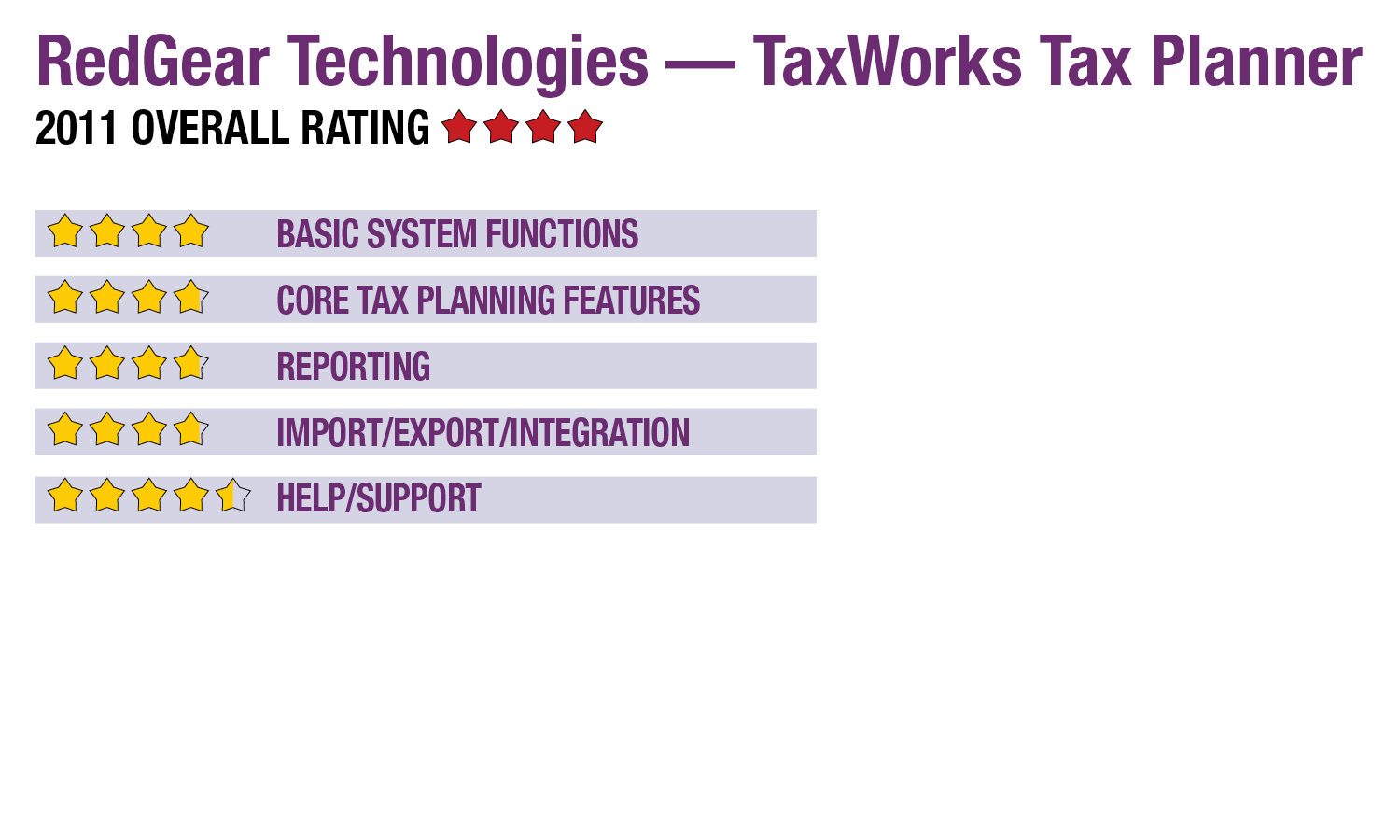
Basic System Functions - 4 Stars
Many of the bundled versions of the TaxWorks preparation system include the Tax Planner, which can be opened from the tax system’s toolbar. As previously noted, the program can also be used as a stand-alone. The primary interface is a small window that automatically opens to a new client plan that shows five years, with one prior, the current and three years out. This screen includes lists for selecting the filing status, with spreadsheet views that display ordinary income, Schedule D, adjustments, AGI, deductions, exemptions, taxable income, regular tax, Sch. D tax, AMT, non-refundable credits, other taxes, payment and refundable credits, and the net tax due or refund amount.
Navigation within the program is simple, with worksheets opening when clicking on any of the income/deduction/credit fields, and calculations automatically performed across all plan years. The system offers toolbars and pull-down menus for accessing client and firm data, the data bridge, state worksheets, copying columnar data and setting system preferences. This includes the ability to adjust the projected annual inflation rate across years. Little other user customization is available.
Client selection screens use the basic Windows Explorer file structure, and individual client management screens only offer client name, taxpayer and spouse birthdates, and address information. Password protection is available at the client level. The system can manage any number of clients and can be used by multiple staff members, although individual client files may be accessed by only one user at a time.
Core Tax Planning Features - 3.75 Stars
TaxWorks Tax Planner provides tools for creating client plans with up to five years, and includes calculations for AMT, ACG, lump-sum payments, underpayment penalties, and other factors. Filing status can be easily switched between single, joint, MFS (together or separated), head of household and qualified widower.
In the system preferences, users can adjust for the effects of anticipated inflation on exemptions, FICA limits and deductions that are tied to inflation rates. Tax Planner includes a generic state worksheet that users can modify as necessary, but it does not include state rates, deductions or credits. Users can duplicate column/year data from plans using a simple copy/paste function, and all calculations are performed as data is entered or modified. Drilldown into supporting worksheets is performed simply by clicking on data or the row headers.
Data can be pulled into returns directly from a client’s return in TaxWorks. New tax features in the broader tax compliance system include a trial balance import utility that can acquire data from Excel, as well as a state K-1 allocation tool. The vendor is working on implementing other technologies, including an electronic signature pad and potentially a barcode reader.
Reporting - 3.75 Stars
The reporting utility in Tax Planner offers options for printing all or select client worksheets, which can also be viewed on-screen or can be generated to PDF. The previously mentioned copy/paste function can also be used to move columnar data into Excel. Basic report customization options include field selection with no option for integrating charts or graphs.
- « Previous Page
- 1
- 2
- Next Page »