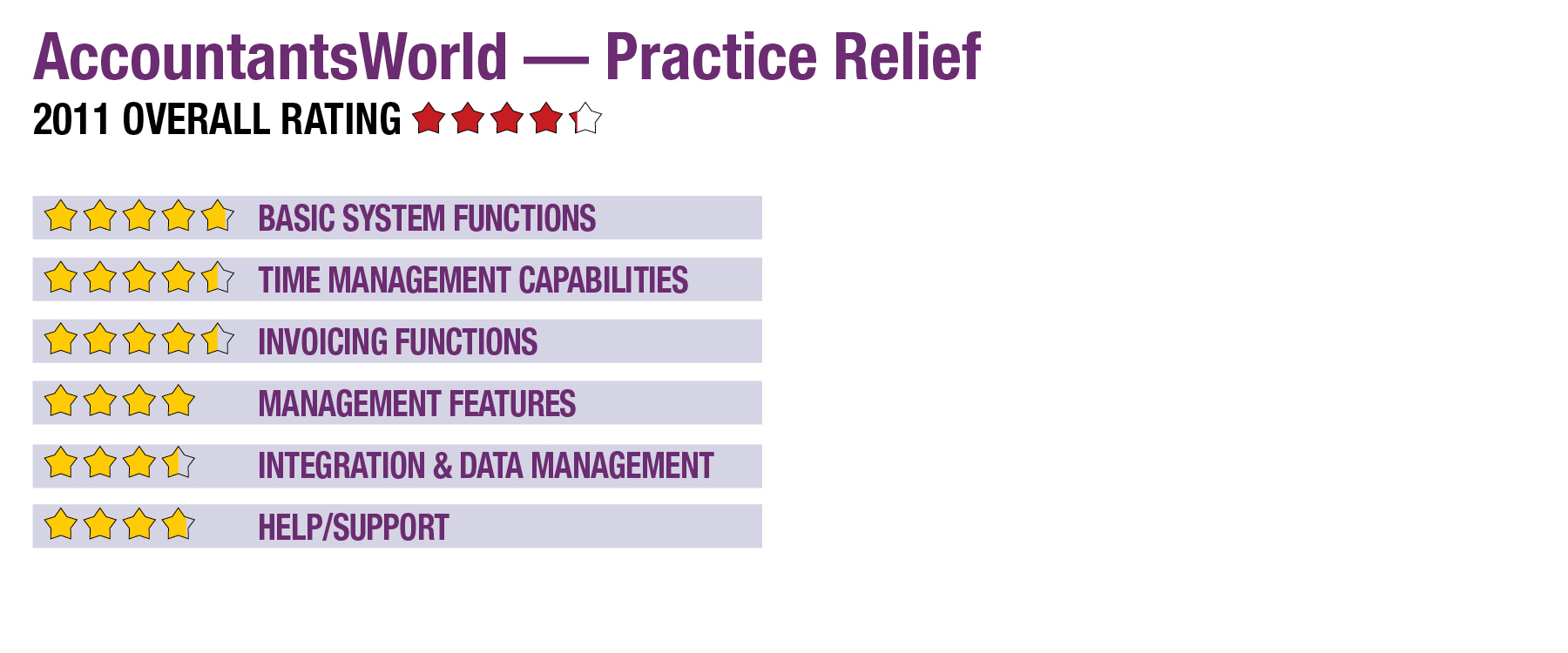
2011 Review of AccountantsWorld — Practice Relief

AccountantsWorld — Practice Relief
888-999-1366

www.accountantsworld.com 


From the Oct. 2011 Review of Time & Billing Systems.

Best Firm Fit: Small firms using the AccountantsWorld Power Practice System.

Strengths

  • Intuitive, easy to set up & begin using.
  • Integration with other products in the AccountantsWorld suite.
  • E-mail broadcast for client communications, with tools to group clients for e-mails & track which e-mails were sent to clients.

Potential Limitations

  • Limited invoice customization options.
  • Security settings can be set to restrict users’ access to the major functions, but does not go into detail like other programs.


AccountantsWorld offers a web-based suite of integrated applications for accounting, payroll, document management and website building – The Power Practice System. Practice Relief, the time and billing component of the suite, also available standalone, is easy to use and provides management with reporting features to analyze the profitability of a firm’s clients, staff and services. It also includes an appointment scheduler that synchronizes with Outlook and a separately installed timer tool.

Basic System Functions (4.75 Stars)

Designed specifically for accountants, Practice Relief is easy to set up and use. The system comes preconfigured with projects, tasks and expenses to meet the needs of most firms, all of which may be customized or added to based on a firm’s specific needs. Practice Relief’s interface is clean and straightforward, with drop-down menus across the top that provide links to the program’s major functions.

Time Management Capabilities (4.5 Stars)

Time is easily entered on a spreadsheet-like interface with drop-down boxes to select a client and task, and then enter the related billable time and details for the billing records. Users can download and install the Time Tracker, a timer utility that updates Practice Relief with the amount of time spent on clients and tasks. The Time Tracker operates both when a computer is online and offline. When offline, the data is uploaded to Practice Relief immediately when an Internet connection becomes available.

Billing rates are set up for preconfigured “roles” (levels of responsibilities) within a firm to which users are assigned. Individual billing rates can also be created for specialized tasks.

Invoicing Functions (4.5 Stars)

Invoices can be created from retainer fees, completed tasks or on-the-fly. The latter of these is the fastest way to create an invoice without previously entering tasks or expenses, as all line items are entered directly on the new invoice screen. Within seconds, the user can click a button to either save the invoice, print it or e-mail it. The program provides a few invoice customization options, such as adding a logo, changing the footer text, and choosing whether to print details such as tax codes, hours and rates.

The invoice list screen displays information that is helpful for managing billing, including information for invoices that have been generated as well as the status as either having been printed, pending or paid. From this screen, users can review, print, e-mail and delete invoices. Practice Relief monitors payments and accounts receivable.

Management Features (4 Stars)

Reports are grouped into the three areas: clients, staff and firm. The standard reports go beyond the usual aging schedules and lists to provide helpful information to management. For example, client reports include a realization schedule that analyzes fees and expenses for each client, comparing totals to the amounts billed. It also provides a client ranking report that ranks clients in order of the total fees received.

For security purposes, system administrators can restrict access for each role to any of the program’s primary functions: administrator, user/data entry, payment/invoice, manage appointments, reporting, and setup.

This content continues onto the next page...