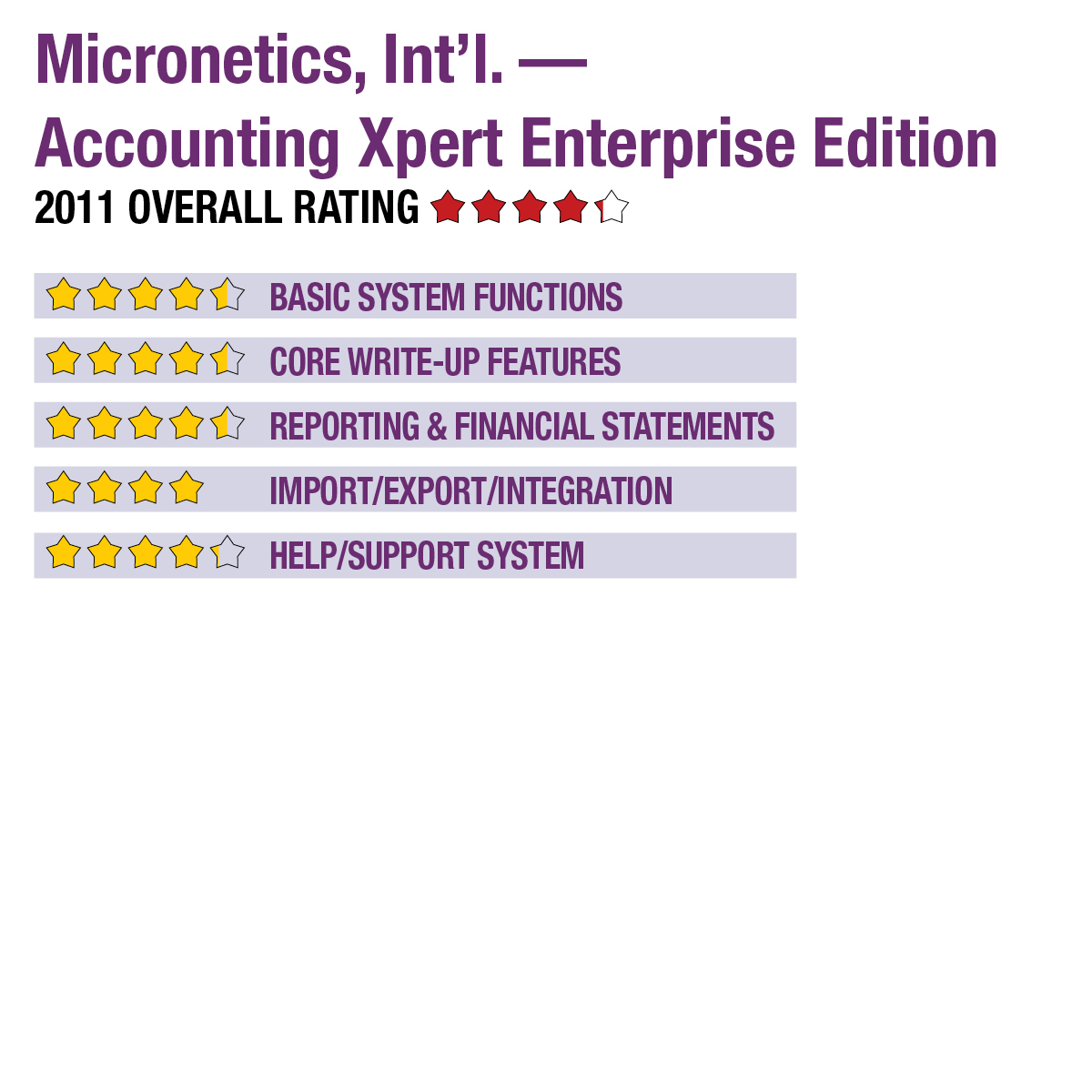
2011 Review of Micronetics, Int’l. — Accounting Xpert Enterprise Edition


Micronetics, Inc. - Accounting Xpert
561-995-1477
www.axpert.com

Best Fit: Firms managing small to mid-sized enterprises, and those with multiple locations.

From the Sept. 2011 Review of Client Write-Up Systems

Micronetics started offering accounting software in the late 1970s and has since followed technological advances to continue developing systems designed for accounting firms and small to mid-sized businesses. The company’s flagship product, Accounting Xpert was redesigned about two years ago and re-launched as Accounting Xpert Enterprise Edition (AXE). AXE is available as an accountant’s version, which

Strengths:

  • Doesn’t require monthly closings
  • Run reports across multiple years, any time periods
  • Broad reporting & financials customization
  • Strong support for multi-location entities

Potential Limitations:

  • No bank statement import function (although import is available from ASCII format)
  • No client portals or automated data transfer
..

includes full GL along with after-the-fact payroll, bank reconciliation, W-2 and 1099 preparation, and full financial reporting. The business version includes all of the accountant’s version modules plus AP, AR, inventory, invoice/order processing, purchase orders and sales modules. The application also offers an optional check writing module that can be used in-firm or by businesses, with data syncing back into the main program. Accountants may add any of these modules for in-house use or as a service bureau option.

Basic System Functions:

Company setup in Accounting Xpert is generally simple and guided, with the ability to easily copy existing charts of accounts, use templates or create them manually. Client data files can also be imported from QuickBooks, with the system creating charts of accounts based on that information. Accounting Xpert can be used to manage any number of business entities, including those with multiple subsidiary units and locations, as well as multiple warehouse locations and dispersed employee work sites. The program supports any number of concurrent users in the firm.

Accounting Xpert offers extensive user rights and security features, with administrators able to pinpoint very specific tasks and functions that users can perform. The primary interface then displays only those modules to which the firm has granted the user access. An Outlook-style left-hand menu provides access to each module. Additional drop-down menus are available across the top of the screen, including customization options for creating personalized reminders and system setup.

Core Write-Up Features:

Accounting Xpert offers advanced write-up capabilities, with full audit control and the ability to re-run reports at any time and across any date range, including multiple years. This ability is because the system doesn’t require monthly closings. The system outputs reports to Microsoft Word and Microsoft Excel for creation of compilation letters and use of charts and graphs in client deliverables. The program’s GL allows for creation of up to 9.999 supporting schedules per company, with the ability to use schedules for virtually any purpose, including creating funds statements, unit financials or customizing financial reports to meet specific needs.

Users can set up as many as 999 custom journal entry templates, including automatically recurring and reversing entries. The entry screen displays multiple transactions simultaneously across a spreadsheet view screen that helps to quickly identify errors. Authorized users can also unpost journals, make corrections and repost, with full audit tracking. Expenses can be posted to multiple GL accounts, and the system maintains totals of account numbers. Transaction entry is simplified by the ability to post by selecting a payee from a list, instead of only by account, and new accounts can be added during journal entry.

This content continues onto the next page...