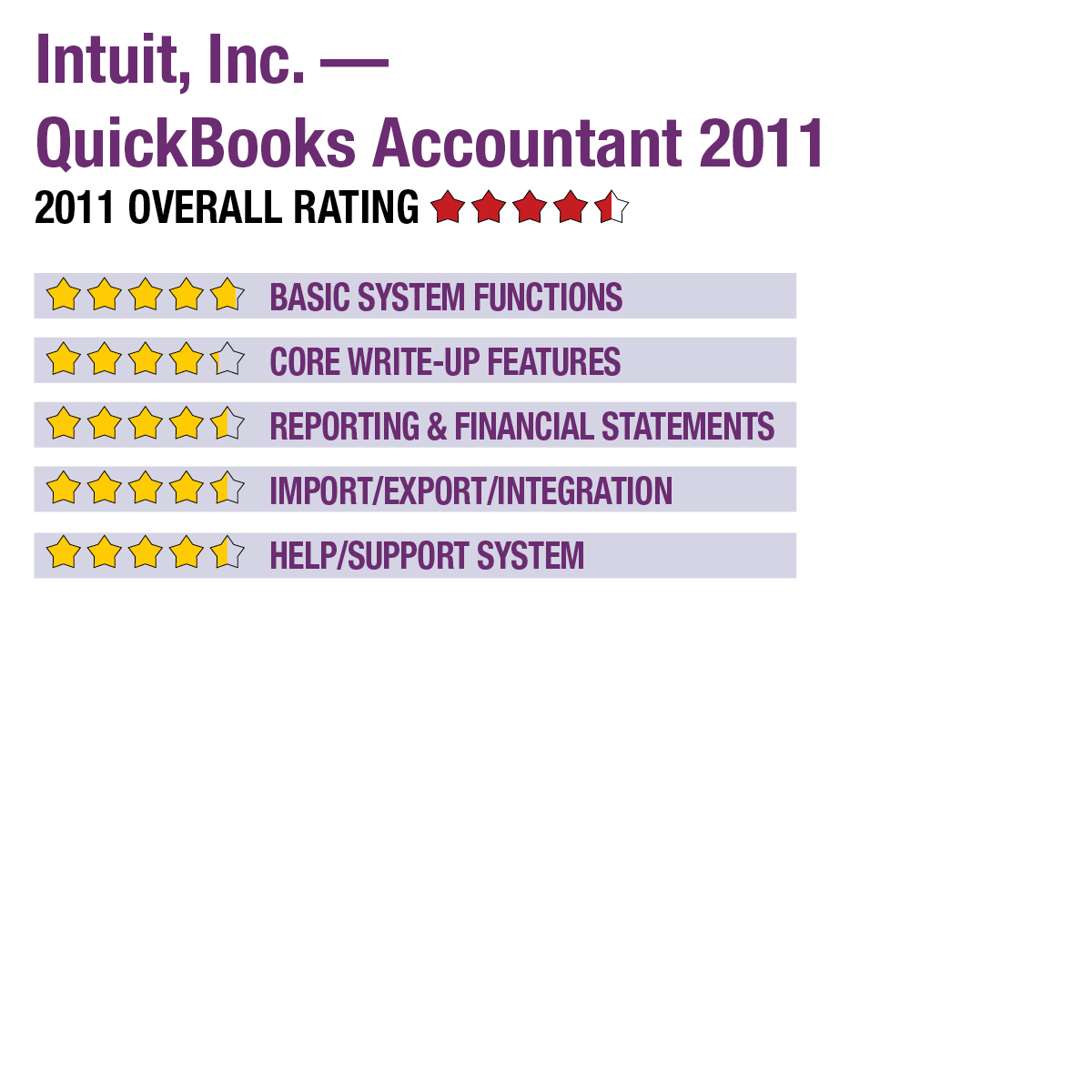
2011 Review of Intuit, Inc. — QuickBooks Accountant 2011
The QuickBooks Accountant edition of the program also includes the firm side of the Accountant’s Copy feature, a tool in business versions of QuickBooks that makes it easy for client users to electronically and securely send their compressed files to the accountant for write-up services. After making necessary edits, changes and performing reconciliation tasks, the firm can then send the files back to the client, with a simple tool that helps them update their files. While the accountant is working on the prior period, the client can continue to work in the current period.
The program can store company logos for all clients for use on checks, which can be printed to plain paper or check stock. The program integrates with Intuit’s payroll systems, allowing full live and after-the-fact payroll processing and compliance, with tax tables included on an annual subscription basis. Analysis, benchmarking tools and financial ratios are available in the management dashboard view.
Reporting & Financial Statements: 
QuickBooks Accountant includes fixed asset management functions, with the ability to track various depreciation methods and produce reports. Other client-focused options include more than 100 standard and customizable reports for budgeting, revenues and period comparisons. An integrated trial balance feature is built into the program. Enhanced reporting capabilities, including full financial statement generation, are available with the optional Intuit Statement Writer add-on, which offers live data syncing of reports when viewed on screen. All reports include the ability to drill down to underlying transactions and can include charts, graphs and pivot tables. Reports can be output to Excel and PDF formats.
QuickBooks includes several client communication templates (which can be saved to Word format), as well as billing functions that enable the creation of billing groups and batch invoicing capabilities where users can quickly generate invoices for multiple clients at once. These can be printed or e-mailed to clients from within the program, with the invoice actually being stored on a secure Intuit server and accessed by the client via a link. Clients can also pay their invoices online using the new QuickBooks Collections Center feature.
Import/Export/Integration: 
Users can import client data from common spreadsheet formats and CSV files, with similar options for export, and wizards guiding many of these processes. As previously noted, reports can be saved to Excel, PDF and Word formats. The Accountant’s Copy feature eases the processes involved with pulling in company files and returning them to clients after write-up services are completed. The program integrates with ProSeries, Lacerte and Intuit ProLine Online tax systems for trial balance export, and can integrate with Intuit’s payroll systems, as well.
With the QuickBooks Billing Manager add-on, clients can access current and previous invoices online, and clients can pay electronically. Additional collaboration features aren’t available, which diminishes this function as a portal.
Help/Support System: 
QuickBooks Accountant has the same built-in Help features as the other versions, with wizards, guides, tutorials, tips and right-click access to task-specific Help. Additionally, an online professional user community offers forums, while the company’s support site also has support documentation, how-tos, articles and other tools. The program supports Windows XP/Vista/7 operating systems. A new Mac 2011 version of QuickBooks is available, but it is not available in the Accountant edition. Technical support is free for the first 30 days, after which subscription or per-incident pricing is offered. QuickBooks ProAdvisors (of which there are about 50,000 in the United States), receive free software and marketing on the Find a ProAdvisor website, essentially costing about the same as the software alone. Several application service providers (ASPs) offer hosting of QuickBooks for both accounting firms and clients.
Summary & Pricing
As we’ve noted in previous years, one of the most frequently cited advantages of using QuickBooks Accountant is that it’s based on the same program used by the majority of small business clients, which eases data transfer in both directions. Many accounting firms are starting to use hosted versions of QuickBooks along with QuickBooks Accountant to gain better interaction with clients. The program also offers a good collection of write-up tools, with new tools for batch reclassifying, write-offs and client billing, as well as built-in trial balance, good customization options and a familiar interface. A single-user license costs $399.95; a three-user version is $1,099.95. The optional Intuit Statement Writer is $119.95.