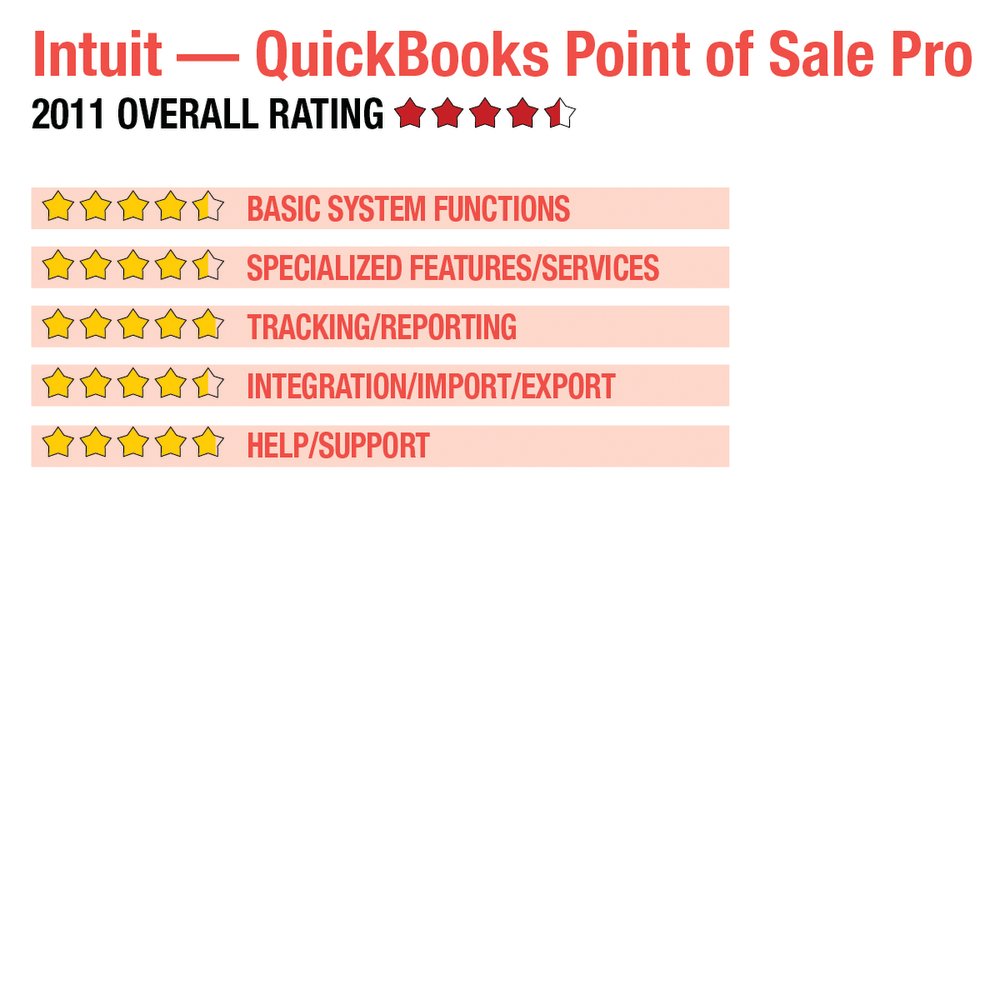
2011 Review of Intuit — QuickBooks Point of Sale Pro
Customer data is easily maintained in the Customers option, where detailed notes, customer type and detailed contact information can be entered. Layaways and sales orders options are accessed from the POS drop-down menu, allowing cashiers to quickly process these special requests. The Customer Center is an excellent tool, providing managers with the ability to create custom email marketing campaigns, write letters or other sales tools, and export customer lists to another file for use with other marketing tools. Rewards programs are available and can be quickly accessed under customers, where managers can enter the threshold amounts to use for loyalty tracking and reward levels. Both gift card and gift certificate selling and redemption are available, along with special promotional pricing.
TRACKING/REPORTING: 
QuickBooks POS Pro offers users a good selection of reports that can all be processed from The Report Center. Reports are categorized by module, with customer, items, payments, sales, purchasing and employee reports available along with a brief description of each. Memorized reports can also be accessed from the Report Center. Clicking on All Reports brings up a list of all available reporting options, where users can display the report prior to processing. All reports are processed in real time, with sales transactions posted immediately upon entering. The Summary with Activity report tracks all inventory movement including sales, receiving and order details. Sales reports include best or worst sellers and the most common returns, which is a great analysis tool to determine the success or failure of a product. A great selection of customer reports is also available, including a Demographics Graph and a Zip Code Summary, as well as a Customer Type Summary. All QuickBooks products contain solid audit trail functionality, with transaction detail available for review.
INTEGRATION/IMPORT/EXPORT : 
QuickBooks POS Pro integrates with all QuickBooks financial products as well as Intuit’s long list of add-on applications. Data Import and Export wizards make it easy to import and export inventory, customer, and vendor data, and easy integration with Microsoft Office products makes it easy to export reports to Excel or letters to Word. POS Pro offers full integration with UPS, but also allows users to utilize other shipping options as well. QuickBooks POS Pro also integrates with all the necessary POS peripherals including pole displays, barcode scanners, credit card readers, signature capture, and PIN pads. Timeclock support Employees clock in and out using the timeclock system, and managers can easily view clocked in/clocked out information.
HELP/SUPPORT: 
QuickBooks POS Pro contains a wide selection of tools designed to assist new users in everything from new company setup to system navigation to making a first sale. A comprehensive Help function allows users to target Help for that specific function. Wizards and tutorials are readily available, and the “I Want To…” button at the top of the POS screen makes it easy for users to choose the transaction type they’re looking for. System updates can be automatically downloaded or users can choose to be notified and asked if they would like to download the updates. The vendor’s knowledgebase and access to related QuickBooks communities is available, as well. A variety of support plans are offered, as is access to local certified QuickBooks professionals. Intuit is also offering 30 days of free support to new customers to make setup even easier.
SUMMARY & PRICING
QuickBooks POS Basic is $999.99, with the Pro version available for $1,499.95. While fully functional as a standalone product, when integrated with QuickBooks financial products users will have tight front/back office controls as well as a POS product that is one of the easiest to set up and use.
2011 Overall Rating: