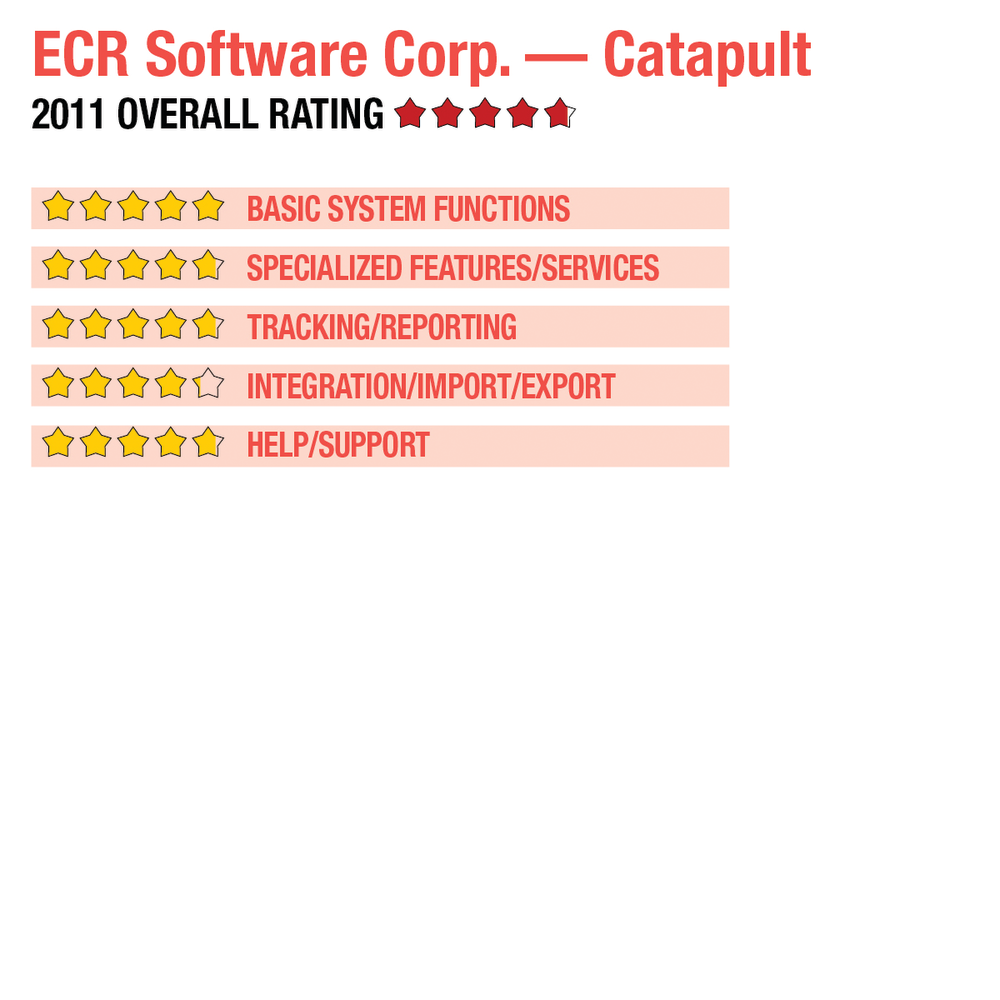
2011 Review of ECR Software Corp. — Catapult


ECR Software Corp. — Catapult
800-211-1172
www.ecrs.com

From the August 2011 Review of Retail Point-of-Sale Systems

Best Fit: Touch-screen technology comes standard with Catapult, and the add-on modules designed for specialty retailers like drug stores, grocery stores, convenience stores and other specialty stores make this a good fit for high-volume retailers that require a high level of customization.

Catapult from ECR Software is a fully customizable product that offers POS functionality for a variety of specialized industries such as drug stores, grocery stores, convenience stores and other specialty stores. Touch-screen technology comes standard with the product, and the add-on modules designed for specialty retailers make this a good fit for high-volume retailers that require a high level of customization.

BASIC SYSTEM FUNCTIONS:

Strengths

  • Default touch-screen monitor functionality
  • High level of customization capability
  • Excellent reporting capability
  • Offers a wide selection of plug-in applications designed for specific high-volume retailers
  • Extremely easy system navigation

Potential Limitations

  • No integrated shipping capability
  • Does not contain mail order/catalog order processing
..

Catapult’s main interface contains a drop-down menu at the top of the screen, and the POS button leads directly to the POS interface. Highly customizable, Catapult allows users to create an interface that fits with their business type. The user keypad can be customized by button size, color and entire layout. Keypads can also be customized for each cashier, including right-handed and left-handed options. Touch-screen technology is standard, but for users preferring to use a keyboard Catapult can be customized for that, as well. Products can be quickly scanned by barcode, or users can utilize the custom touch-screen for quick product entry. Customer information can be displayed on-screen, and speed keys can be set up by batching the data so users can create a speed key for anything from frequently purchased items to tender denominations.

Catapult is available in both single-store and multi-store versions so adding additional locations is never a problem. Along with the POS module, Catapult offers Back Office Capability, the Multi-Store option mentioned earlier, Self-Checkout, Fuel Interface, Pharmacy System Integration, Pseudoephedrine Tracking, EDI Supplier Integration, Inventory Management, Warehousing, Membership Management, Video Surveillance, Customer Loyalty, Linux Appliance Server and Scale Management. User security is tight, with all system users provided a unique security profile that determines the features accessible. Catapult offers easy lookup options throughout.

All POS-related functions can be completed from the customized interface, including standard sales, returns and voids, layaways, and gift card processing. Catapult offers the ability to assign multiple price levels to all products, with up to four pricing levels. Users can also make global pricing changes. Automatic discounts can be applied to all items, and alternate pricing can be assigned for loyalty card members for all products in inventory. The Warehousing module tracks all store deliveries and maintains inventory levels at all locations. The Supplier Integration Server automates purchase order processing by maintaining constant contact with vendors, and expediting the ordering and receiving process. An optional e-Commerce module provides true integration between Catapult and various third-party eCommerce systems.

SPECIALIZED FEATURES/SERVICES:

Catapult’s POS module comes with touch-screen technology, but users have the ability to utilize keyboard entry, as well. Catapult easily handles multiple tender types, and users have the ability to customize the tender types used, including credit, debit, FSA, EBT/WIC. Coupons and gift cards are easily accepted, as well. Catapult includes a self-hosted gift card option, reducing third-party processing costs. An easily definable check acceptance policy allows users to set check acceptance parameters, including the number of checks accepted from each customer. Managers can also define approval levels and amount limits.

This content continues onto the next page...