



888-455-0183 – www.atxinc.com
888-455-0182 – www.taxwise.com
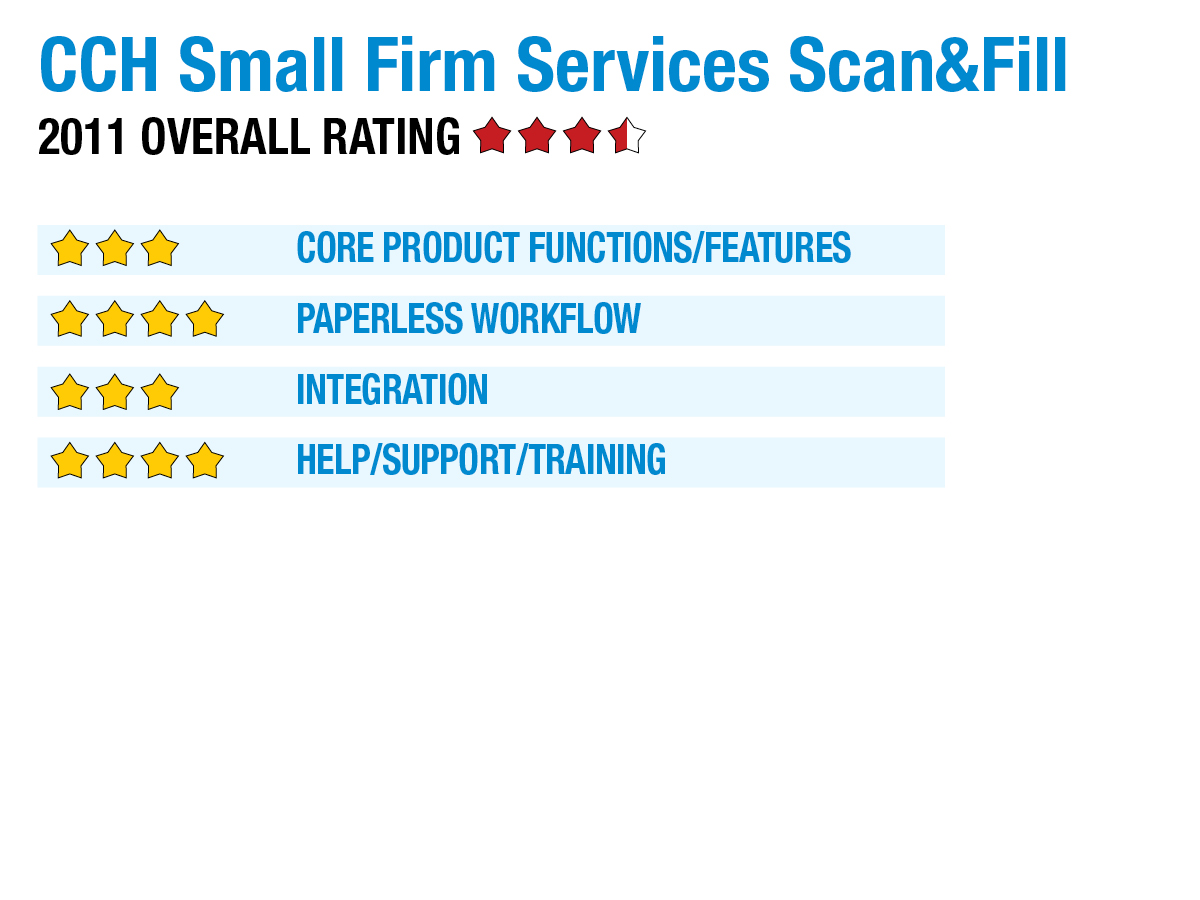
2011 Overall Rating 3.5
Best Fit
- TaxWise and ATX customers who would like to implement automated tax document filing.
- Tax & accounting firms, especially those with high-volume, that need a solution housed entirely on premises.
- Automated sorting & filing of documents in the document management system is impressive.
- Application is locally installed, and can be used in conjunction with tax interviews. This product is the only one reviewed that supports the Topaz electronic signature pad integration.
- Audit trail tracking of all documents and file & folder level security settings provide additional controls over especially sensitive items stored in the Document Manager.
- No automated solution for importing data on stock sales (Schedule D)
- Application does not support extraction & population of source data beyond W-2s and 1099s into the tax prep application.
Strengths
- Automated sorting & filing of documents in the document management system is impressive.
- Application is locally installed, and can be used in conjunction with tax interviews. This product is the only one reviewed that supports the Topaz electronic signature pad integration.
- Audit trail tracking of all documents and file & folder level security settings provide additional controls over especially sensitive items stored in the Document Manager.
Potential Limitations
- No automated solution for importing data on stock sales (Schedule D)
- Application does not support extraction & population of source data beyond W-2s and 1099s into the tax prep application.
Executive Summary & Pricing
CCH Small Firm Services’ Scan&Fill is slightly different from the other offerings in this review in that it is designed primarily to automate the filing of scanned documents into folders within the Document Manager within a tax practice. Scan&Fill is priced for unlimited usage at $790 for a single user, and $1,130 for five users. The product is not offered on a “pay per use” model.
Core Product Functions/Features – 3
Paperless Workflow – 4
Integration – 3
Help/Support/Training – 4
Sign in to get access to this free resource, and all of our whitepapers and reports.

Download this content today!
Register to get free access to this content, as well as newsletters, continuing education, podcasts, and more…
Register Now Already registered? Click here to Log In