A-Systems Corporation — A-Systems JobView


A-Systems Corporation - A-Systems JobView
800-365-6790
www.a-systems.net

From the July 2011 Review Construction and Contractor Accounting Systems

Best Fit:
JobView is ideal for small to mid-sized construction and contractor businesses, but available in three versions that can take a small construction company through any growth transitions.

A-Systems JobView from A-Systems Corporation is celebrating 33 years of providing construction industry software for small to mid-sized construction and contractor businesses. Available in three versions, JobView can take a small construction company through any growth transitions, allowing business owners to utilize this easily navigated software whether they are a start up or an established company.

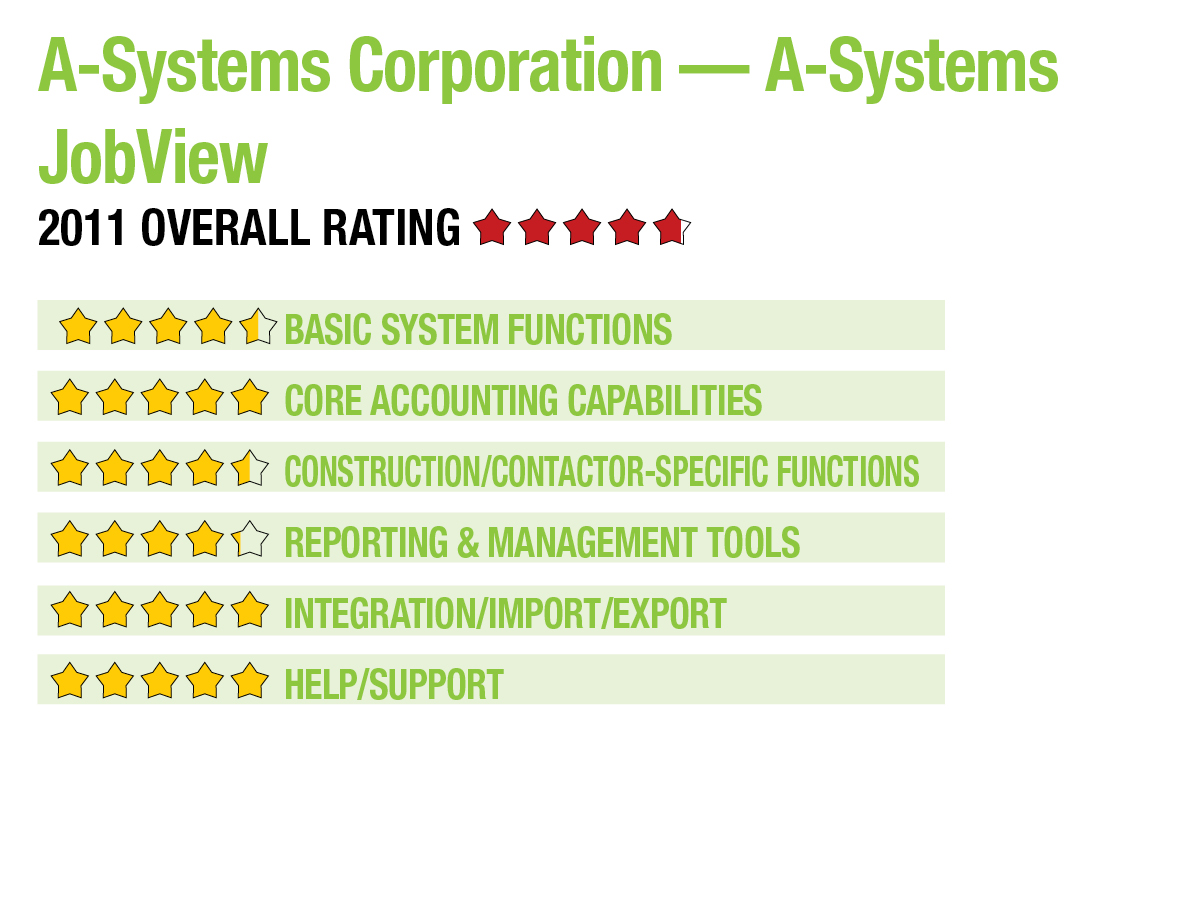
BASIC SYSTEM FUNCTIONS:

A-Systems JobView has a simple, understated user interface that contains a drop-down menu bar that provides easy system access to all JobView functions, along with quick access to all system modules. A vertical menu bar to the left of the screen also provides easy module access with icons containing drop-down capability. Journal entry screens are well constructed, but small. They contain tabs that provide access to other functions within that function. New users will want to utilize the New Company Startup Wizard, which simplifies setting up a new company and any desired user preferences.

Strengths:

  • Scalable with three editions
  • Overview & summary screens offer solid financial information for each company or project
  • Excellent payroll module, with certified payroll and the ability to access payroll information via mobile devices
  • Wide range of industry-specific modules
  • New job option allows for extensive information about the job
  • Latest version has Detailed by Job Cost Code report that provides additional graph capabilities
  • DataView custom report writer offers option to transmit timesheets with portable devices

Potential Limitations:

  • No client communication templates for proactively managing client relationship
  • Lack of dedicated dispatch module
  • No integrations with remote access applications other than viewing payroll
..

Overview screens take the place of dashboards and offer solid financial information for each company or project. Summarized views are also available as well. All Management Overview screens also contain drilldown capability. JobView works with the latest hardware, including Windows 7, XP and Vista.

CORE ACCOUNTING CAPABILITIES:

JobView contains solid core accounting modules that are available in all editions of the program: GL, AP, AR and Payroll. With GL, users have the option of utilizing a default chart of accounts or creating a custom chart of accounts to better represent the company. Both month-end and year-end closings can be done at the convenience of the user, and access to prior months can be determined during setup. Users can also choose to enter recurring journal entries in the GL, AP and AR modules. The AP module offers flexibility and several safeguards, including the ability to search for duplicate invoices. Subcontractor invoices can be partially or fully paid, as needed, and invoices can easily be posted into a prior month period if necessary. The AR module handles time & materials billings, AIA draws and progress billings. Users can choose the way they track receivables, and automated billings can be done, as well. The Payroll module is excellent, with certified payroll capability, the ability to access remote payroll information via a PDA device, and the option to import time information from third-party time tracking software. Workers Comp rates can also be tracked by either employee or job. Additional modules include Purchase Orders, Sales Quote/Sales Order, Equipment Costing, Fixed Asset Management, and Inventory Warehousing. All modules are available in any edition of JobView.

This content continues onto the next page...