
Treeno Software, Inc. — Treeno Enterprise Document Management
Sep. 05, 2014
800-528-5005
www.treenosoftware.com
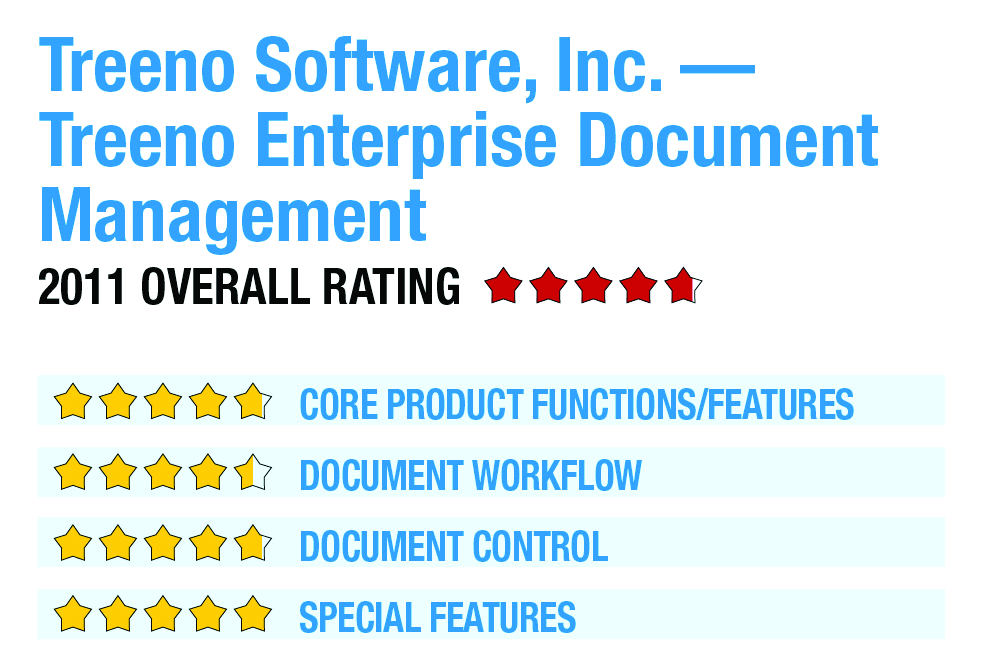
2011 Overall Rating 4.75
Best Firm Fit:
Treeno solutions are traditionally more focused on corporate accounting departments than on accounting firms, but the SaaS deployment option makes this a viable solution for firms of all sizes. If your firm is using any of the integrated accounting software applications listed below, Treeno may be a good fit.
Strengths:
- Comprehensive workflow module with rules-based routing
- SaaS deployment option
- Bar code scanning
- Management reporting
- Integration with Microsoft Dynamics GP, Sage ERP MAS 500 & Intuit QuickBooks
- Integrated portal
Potential Limitations:
- Limited penetration of accounting firm market
Executive Summary & Pricing
For firms that are focused on implementing a workflow solution that can route documents based on decision making rules, Treeno may be a good fit. The ability to choose between a SaaS or an on-premises deployment model provides flexibility to adapt to an organization’s strategy. The system has an intuitive and relatively simple interface and seems intuitive enough to require minimal training.
Pricing for the SaaS version is $50 per month for each concurrent user license, and is discounted for those with more than five users. The on-premises version starts at $3,995 for small firms needing four concurrent users or less. A 10 concurrent user license is $6,995. Treeno Vault is a hardware and software appliance with Treeno pre-installed on a network appliance and is priced at $7,995.
Product Delivery Methods:
_x_ On-Premises
_x_ SaaS
___ Hosted by Vendor
Core Product Functions/Features – 4.75
Document Workflow – 4.5
Document Control – 4.75
Special Features – 5