
Technology
CCH, a Wolters Kluwer business — ProSystem fx Document SaaS
Sep. 05, 2014
800-739-9998
CCHGroup.com
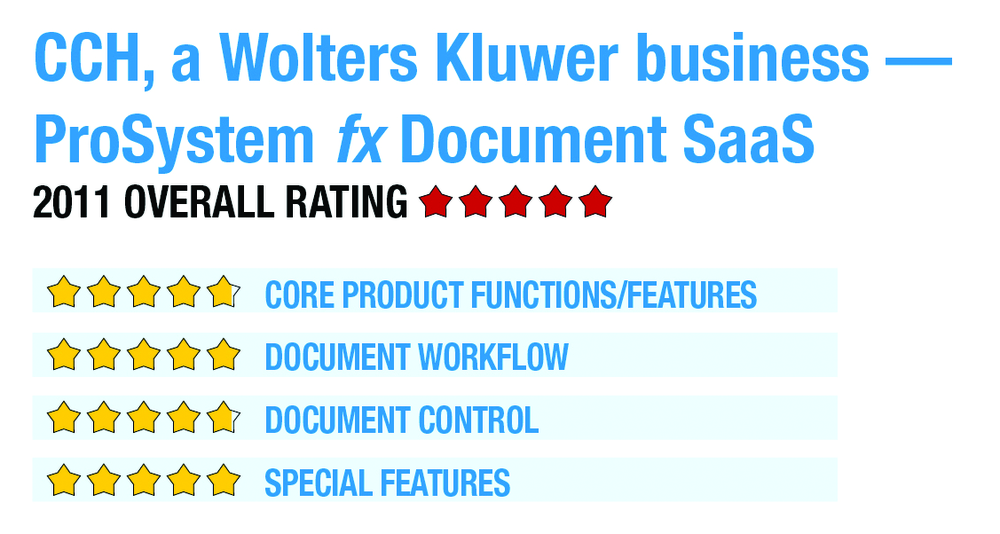
2011 Overall Rating 5
Best Firm Fit:
One of the advantages of a SaaS distribution model is that it is less expensive to deploy for smaller organizations because the infrastructure is outsourced and provided through an affordable shared services model. Therefore, ProSystem fx Document SaaS can be deployed in nearly any size firm. The firms that will benefit the most are those that use the entire ProSystem fx Suite of applications.
Strengths:
- SaaS platform helps simplify the deployment of the application & provides anytime, anywhere access to documents “out of the box.”
- Integration with ProSystem fx Workstream, ProSystem fx Scan & ProSystem fx Portal to implement an integrated digital document processing life cycle.
- Common client database with other ProSystem fx applications eliminates redundant client setup
- Single sign-on allows one login for all ProSystem fx applications
Potential Limitations:
- The depth of functionality in ProSystem fx Document may be overkill for some smaller practices
- The development of the SaaS application suite is still evolving
- Executive Summary & Pricing
- Overall, I am very bullish on where CCH is heading with the development of a fully integrated suite of SaaS applications. It’s tough to bet against cloud computing as the right direction to move. CCH’s commitment to provide an option to deploy its suite of applications on-premises, in a SaaS model, hosted or some combination of the three provides freedom of choice to end users.
- Pricing for ProSystem fx Document SaaS starts at $689 per user, per year and drops to $448 as the number of users increases. There is also a $1,000 initial setup fee.
Product Delivery Methods:
_X_ On-Premises
_X_ SaaS (Hosted by vendor)
___ Hosted by Vendor
Core Product Functions/Features – 4.75
Document Workflow – 5
Document Control – 4.75
Special Features – 5